
第二章 下载源码
Ubuntu环境搭建完成之后开始在码云下载源代码(注册码云账号)。
1. 配置git
git config --global user.name "XXXXXXX"     #填写自己的用户名称
git config --global user.email "XXXXXX"     #填写自己的邮箱
git config --global credential.helper store
git config --list  #查看git配置是否无误
2. 生成/添加SSH公钥
ssh-keygen -t rsa -C "xxxxx@xxxxx.com"
cat ~/.ssh/id_rsa.pub
3. 安装码云repo工具
curl https://gitee.com/oschina/repo/raw/fork_flow/repo-py3 > /usr/local/bin/repo    #如果没有权限,可以用 sudo -i 切换到root,安装完成后在切换回去
chmod a+x /usr/local/bin/repo        #设置repo文件 a+x就是全部用户可执行
pip install -i https://pypi.tuna.tsinghua.edu.cn/simple requests
4.源码获取
因为 SC-3568HA 完全匹配社区源码的外设,所以源码获取有两种,一种是ShiMetaPi 5.0.0源码,另一种直接获取社区源码。
4.1 ShiMetaPi 5.0.0源码获取
repo init -u https://gitee.com/robots778/manifest -b refs/tags/OpenHarmony-v5.0.0-Release_3568HA --no-repo-verify
repo sync -c
repo forall -c 'git lfs pull'
4.2 社区源码获取
以 5.1.0-Release 版本为例,也是通过 repo+https 下载
开源鸿蒙源码仓库(Gitee社区-已停用):https://gitcode.com/openharmony/manifest
开源鸿蒙源码仓库(Gitcode社区):https://gitcode.com/openharmony/manifest
打开上面 Gitee 或者 Gitcode 社区链接,找到需要的 Release 版本分支名
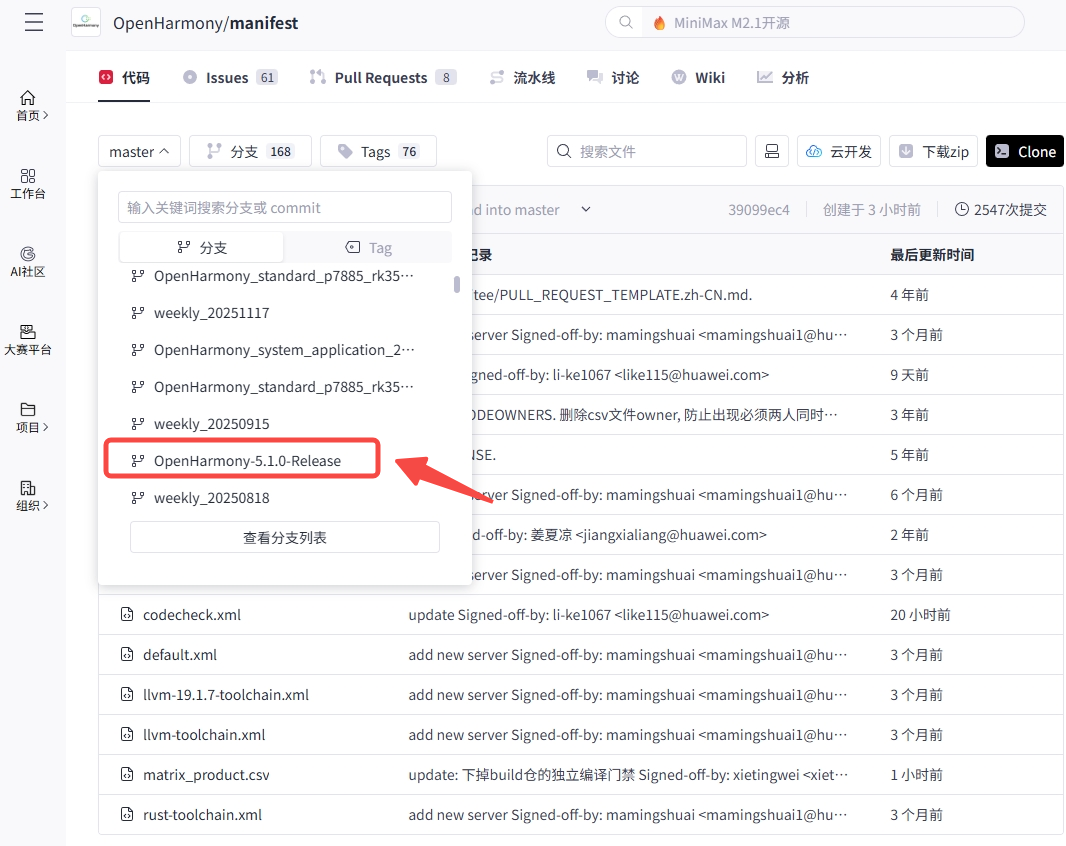
案例中选择的是 5.1.0-Release 版本
将下面 repo init 中 -b 参数填写分支名 OpenHarmony-5.1.0-Release
# gitee 社区
export REPO_URL='https://mirrors.tuna.tsinghua.edu.cn/git/git-repo'
repo init -u https://gitcode.com/openharmony/manifest -b OpenHarmony-5.1.0-Release --no-repo-verify
repo sync -c
repo forall -c 'git lfs pull'
# gitcode 社区
export REPO_URL='https://mirrors.tuna.tsinghua.edu.cn/git/git-repo'
repo init -u https://gitcode.com/openharmony/manifest -b OpenHarmony-5.1.0-Release --no-repo-verify
repo sync -c
repo forall -c 'git lfs pull'