
Machine Vision Practice
Experiment 1 - Open a USB Camera
cd OPENCV# Open the OPENCV packagesudo python3 ./camera_display.py# Run the py file
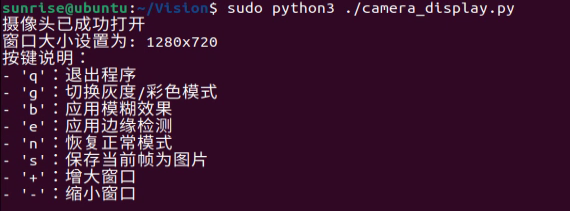
Terminal output:
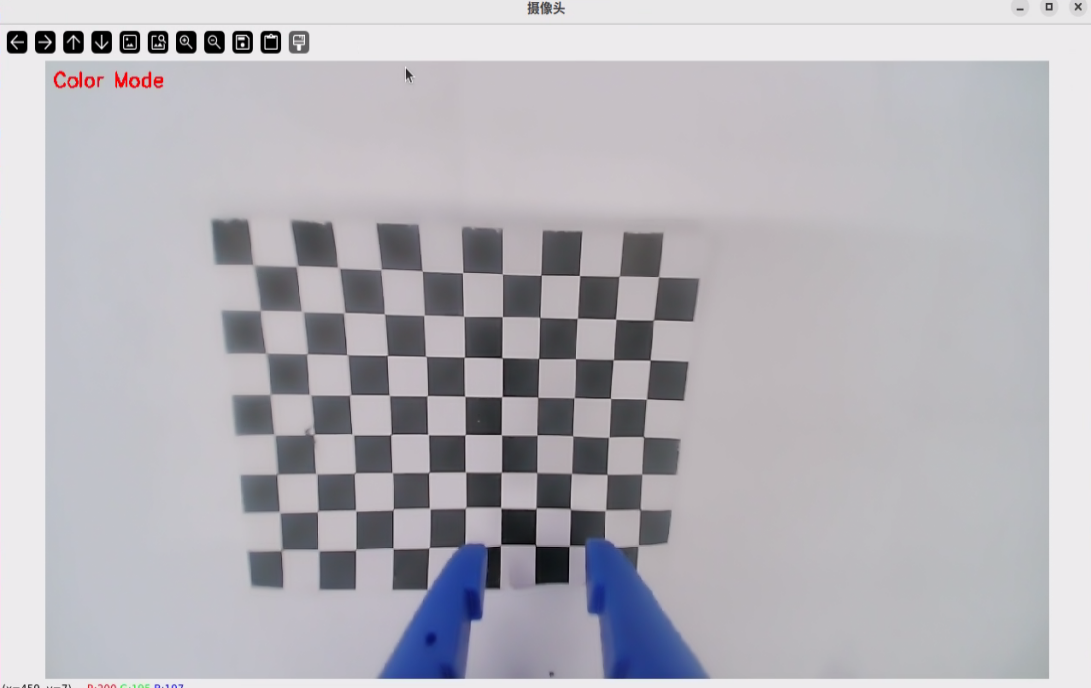
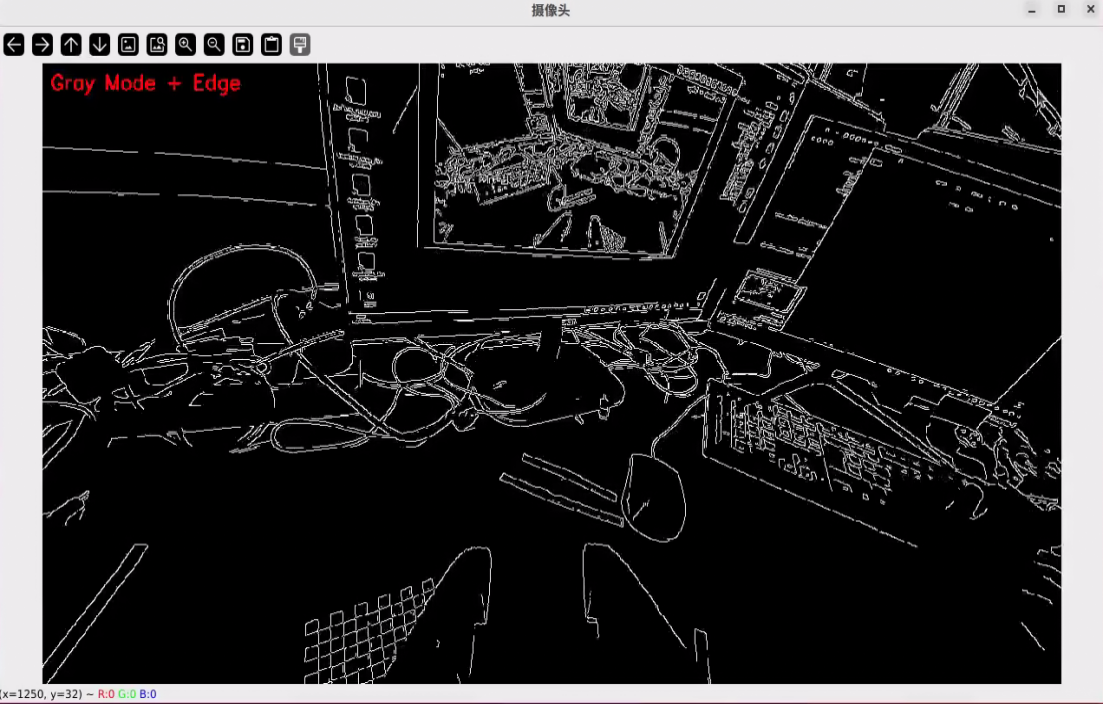
The camera's live feed will be displayed on the Linux system. Test the keys while the window has focus. The effects are as follows:
#!/usr/bin/env python
# -*- coding: utf-8 -*-

"""
摄像头读取程序
功能:打开摄像头并实时显示画面,支持多种功能
"""

import cv2
import numpy as np
import sys
import os
import time
import argparse
from datetime import datetime

def main():
    """
    主函数:打开摄像头并显示实时画面
    """
    # 解析命令行参数
    parser = argparse.ArgumentParser(description='摄像头实时显示程序')
    parser.add_argument('--width', type=int, default=1280, help='显示窗口宽度')
    parser.add_argument('--height', type=int, default=720, help='显示窗口高度')
    args = parser.parse_args()

    # 打开默认摄像头(通常是0,如果有多个摄像头可以尝试1,2等)
    cap = cv2.VideoCapture(0)

    # 检查摄像头是否成功打开
    if not cap.isOpened():
        print("错误:无法打开摄像头")
        sys.exit(1)

    # 设置摄像头分辨率
    cap.set(cv2.CAP_PROP_FRAME_WIDTH, args.width)
    cap.set(cv2.CAP_PROP_FRAME_HEIGHT, args.height)

    # 创建一个可调整大小的窗口
    cv2.namedWindow('摄像头', cv2.WINDOW_NORMAL)
    cv2.resizeWindow('摄像头', args.width, args.height)

    print("摄像头已成功打开")
    print(f"窗口大小设置为: {args.width}x{args.height}")
    print("按键说明:")
    print("- 'q':退出程序")
    print("- 'g':切换灰度/彩色模式")
    print("- 'b':应用模糊效果")
    print("- 'e':应用边缘检测")
    print("- 'n':恢复正常模式")
    print("- 's':保存当前帧为图片")
    print("- '+':增大窗口")
    print("- '-':缩小窗口")

    # 默认设置
    gray_mode = False
    blur_mode = False
    edge_mode = False
    window_width = args.width
    window_height = args.height

    # 创建保存图像的目录
    save_dir = "captured_images"
    if not os.path.exists(save_dir):
        os.makedirs(save_dir)

    # 循环读取摄像头画面
    while True:
        # 读取一帧图像
        ret, frame = cap.read()

        # 如果读取失败,退出循环
        if not ret:
            print("错误:无法读取摄像头画面")
            break

        # 处理图像
        if gray_mode:
            # 转换为灰度图
            processed_frame = cv2.cvtColor(frame, cv2.COLOR_BGR2GRAY)
            # 转回三通道以便显示文字
            display_frame = cv2.cvtColor(processed_frame, cv2.COLOR_GRAY2BGR)
            mode_text = "Gray Mode"
        else:
            processed_frame = frame.copy()
            display_frame = processed_frame
            mode_text = "Color Mode"

        # 应用额外效果
        if blur_mode:
            processed_frame = cv2.GaussianBlur(processed_frame, (15, 15), 0)
            display_frame = processed_frame
            mode_text += " + Blur"

        if edge_mode and gray_mode:
            # 边缘检测需要灰度图像
            processed_frame = cv2.Canny(processed_frame, 100, 200)
            # 转回三通道以便显示文字
            display_frame = cv2.cvtColor(processed_frame, cv2.COLOR_GRAY2BGR)
            mode_text += " + Edge"
        elif edge_mode:
            # 如果不是灰度模式,先转换为灰度再进行边缘检测
            edges = cv2.Canny(cv2.cvtColor(processed_frame, cv2.COLOR_BGR2GRAY), 100, 200)
            # 将边缘叠加到原图上
            display_frame = processed_frame.copy()
            display_frame[edges > 0] = [0, 255, 255]  # 黄色边缘
            mode_text += " + Edge"

        # 添加模式文字
        cv2.putText(display_frame, mode_text, (10, 30),
                    cv2.FONT_HERSHEY_SIMPLEX, 0.8, (0, 0, 255), 2)

        # 显示图像
        cv2.imshow('摄像头', display_frame)

        # 等待按键,如果是'q'则退出
        key = cv2.waitKey(1) & 0xFF
        if key == ord('q'):
            print("用户退出程序")
            break
        elif key == ord('g'):
            # 切换灰度/彩色模式
            gray_mode = not gray_mode
            print("切换到", "灰度模式" if gray_mode else "彩色模式")
        elif key == ord('b'):
            # 切换模糊效果
            blur_mode = not blur_mode
            print("模糊效果:", "开启" if blur_mode else "关闭")
        elif key == ord('e'):
            # 切换边缘检测
            edge_mode = not edge_mode
            print("边缘检测:", "开启" if edge_mode else "关闭")
        elif key == ord('n'):
            # 恢复正常模式
            gray_mode = False
            blur_mode = False
            edge_mode = False
            print("已恢复正常模式")
        elif key == ord('s'):
            # 保存当前帧
            timestamp = datetime.now().strftime("%Y%m%d_%H%M%S")
            filename = os.path.join(save_dir, f"capture_{timestamp}.jpg")
            cv2.imwrite(filename, frame)
            print(f"图像已保存: {filename}")

    # 释放摄像头资源
    cap.release()
    # 关闭所有OpenCV窗口
    cv2.destroyAllWindows()
    print("程序已退出")

if __name__ == "__main__":
    try:
        main()
    except Exception as e:
        print(f"程序发生错误: {e}")
        sys.exit(1)