
USB Module Usage
Sound Source Localization Module Usage Tutorial
- Hardware preparation:
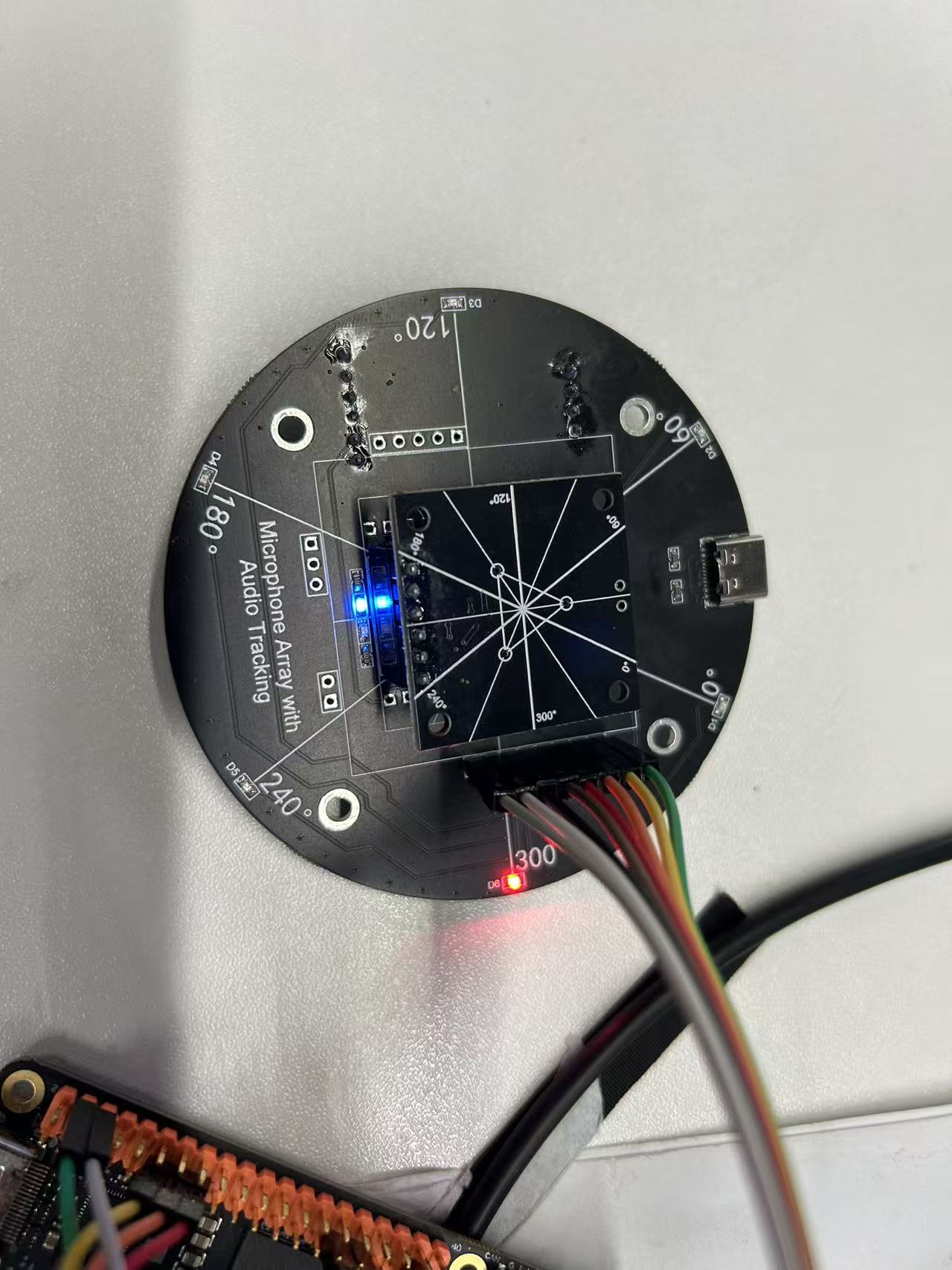
- Solder the sound source localization module according to the instructions.
The result is shown below:
:
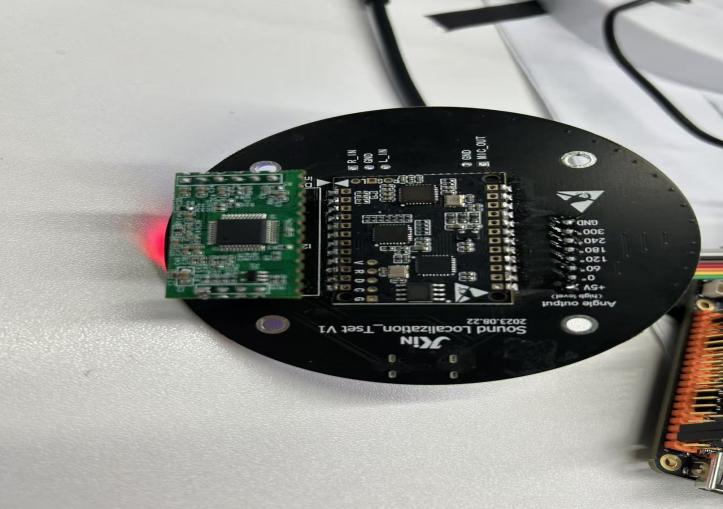
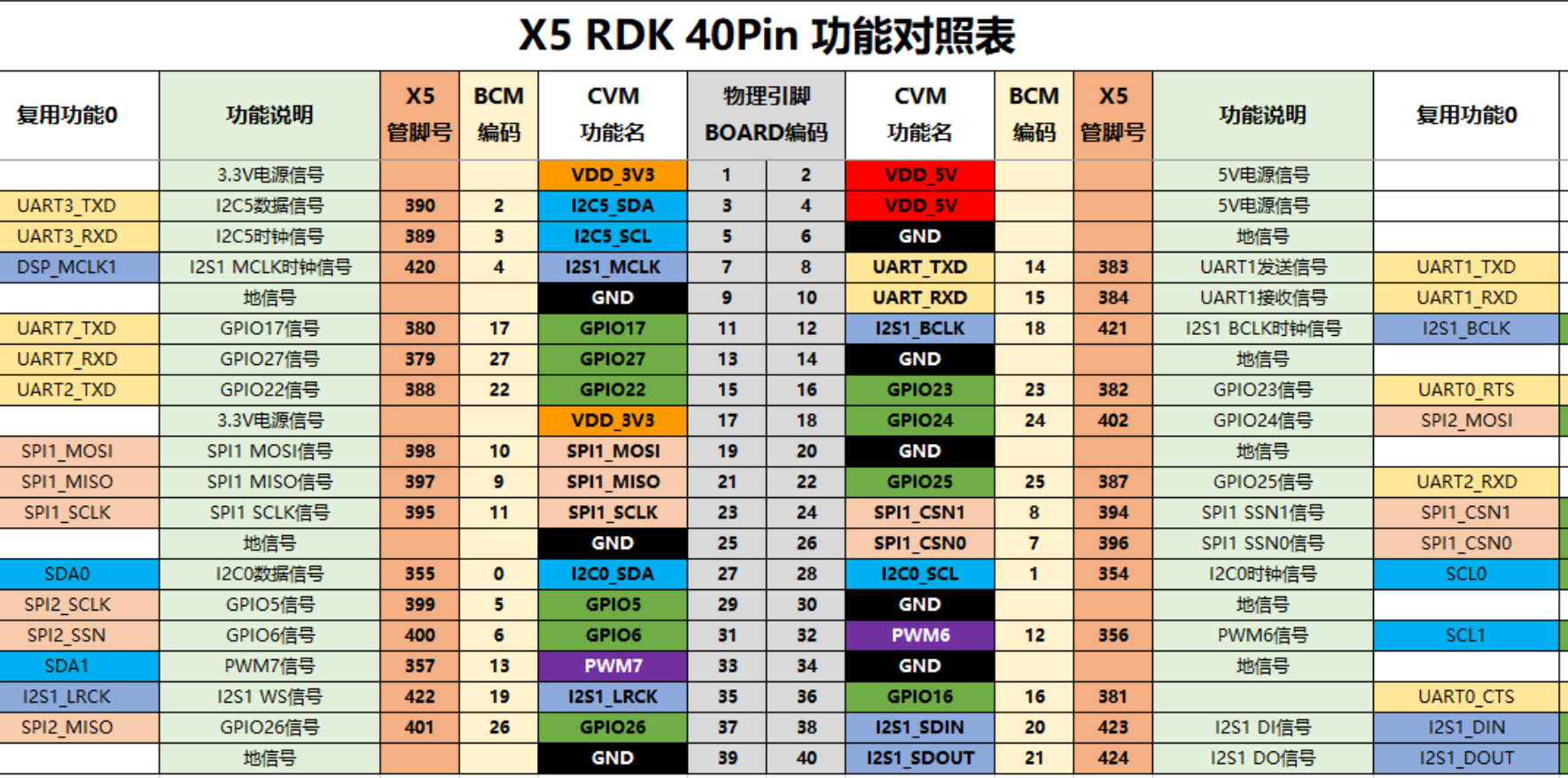
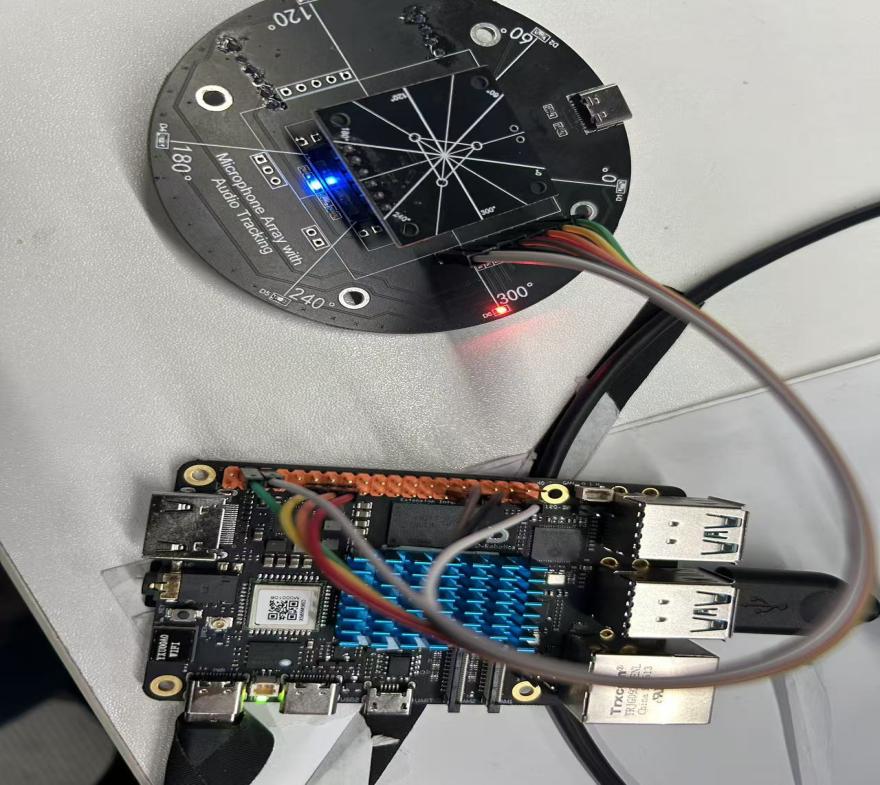
- Wiring: Connect RDK-X5 physical pin numbers 11, 13, 15, 29, 31, 37 to the sound source localization module's 0, 60, 120, 180, 240, and 300 degree ports in order. Connect the module's VCC and GND to the RDK-X5's 5V and GND respectively.
RDK-X5_40pin pinout:
Wiring diagram:
Software execution:
Run sound_localization.py on the RDK-X5: python ./sound_localization.py
Sound sources detected at different angles will be read and printed in the terminal. The terminal output is as follows: 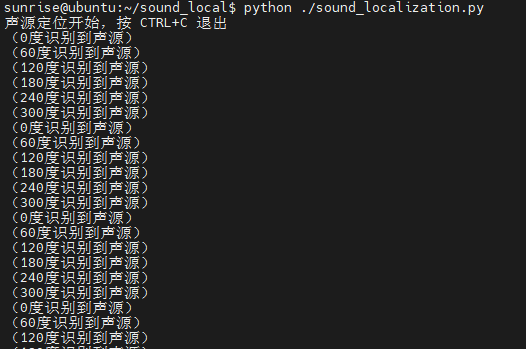
#!/usr/bin/env python3
import sys
import signal
import Hobot.GPIO as GPIO
import time

# 使用 BOARD 编码的引脚编号
pins = [11, 13, 15, 29, 31, 37]
angles = [0, 60, 120, 180, 240, 300]

def signal_handler(sig, frame):
    sys.exit(0)

def main():
    GPIO.setwarnings(False)
    GPIO.setmode(GPIO.BOARD)
    for pin in pins:
        GPIO.setup(pin, GPIO.IN)

    print("声源定位开始,按 CTRL+C 退出")
    try:
        while True:
            for pin, angle in zip(pins, angles):
                if GPIO.input(pin) == GPIO.HIGH:
                    print("({}度识别到声源)".format(angle))
            time.sleep(0.1)
    finally:
        GPIO.cleanup()

if __name__ == '__main__':
    signal.signal(signal.SIGINT, signal_handler)
    main()