
06 EVS Network Server
📋 Introduction
EVS Network Server is a high-performance TCP data transmission solution designed for real-time transmission and reception of event camera data streams. It supports multi-threaded processing to ensure stability and efficiency of data transmission.
📋 Technical Specifications
System Requirements
- Operating System: Ubuntu 22.04 / CentOS / RHEL
- Build Tools: gcc, g++, build-essential
- Network Protocol: TCP/IP
- Default Port: 8888 (Configurable)
🔧 Dependency Description
- Essential Dependencies: gcc, g++, pthread, librt (Usually included in system)
- Optional Dependencies: OpenCV (For real-time visualization, data reception works without installation)
🚀 Quick Start
Run Receiver on PC
# Optimize TCP receiver buffer (Important)
chmod +x optimize_tcp_buffers_receiver.sh
./optimize_tcp_buffers_receiver.sh

# Run receiver
./evs_tcp_receiver_mt <PORT>
# Example:
./evs_tcp_receiver_mt 8888
Independent Compilation of Receiver (x86_64 (PC))
1. Install Dependencies
Method 1: Automatic installation using Makefile
make install_depsMethod 2: Manual installation
Ubuntu/Debian system:
# Install basic build tools
sudo apt-get update
sudo apt-get install -y build-essential

# Install OpenCV (Optional, for visualization)
sudo apt-get install -y libopencv-dev pkg-config
CentOS/RHEL system:
# Install OpenCV (Optional)
sudo yum install opencv opencv-devel
2. Compile Receiver
# Compile using standalone Makefile
make receiver

# Or view help
make help
3. Run Receiver
# Optimize TCP receiver buffer
chmod +x optimize_tcp_buffers_receiver.sh
./optimize_tcp_buffers_receiver.sh

# Use default port 8888
./evs_tcp_receiver_mt

# Or specify port
./evs_tcp_receiver_mt 9999
Program running screenshot 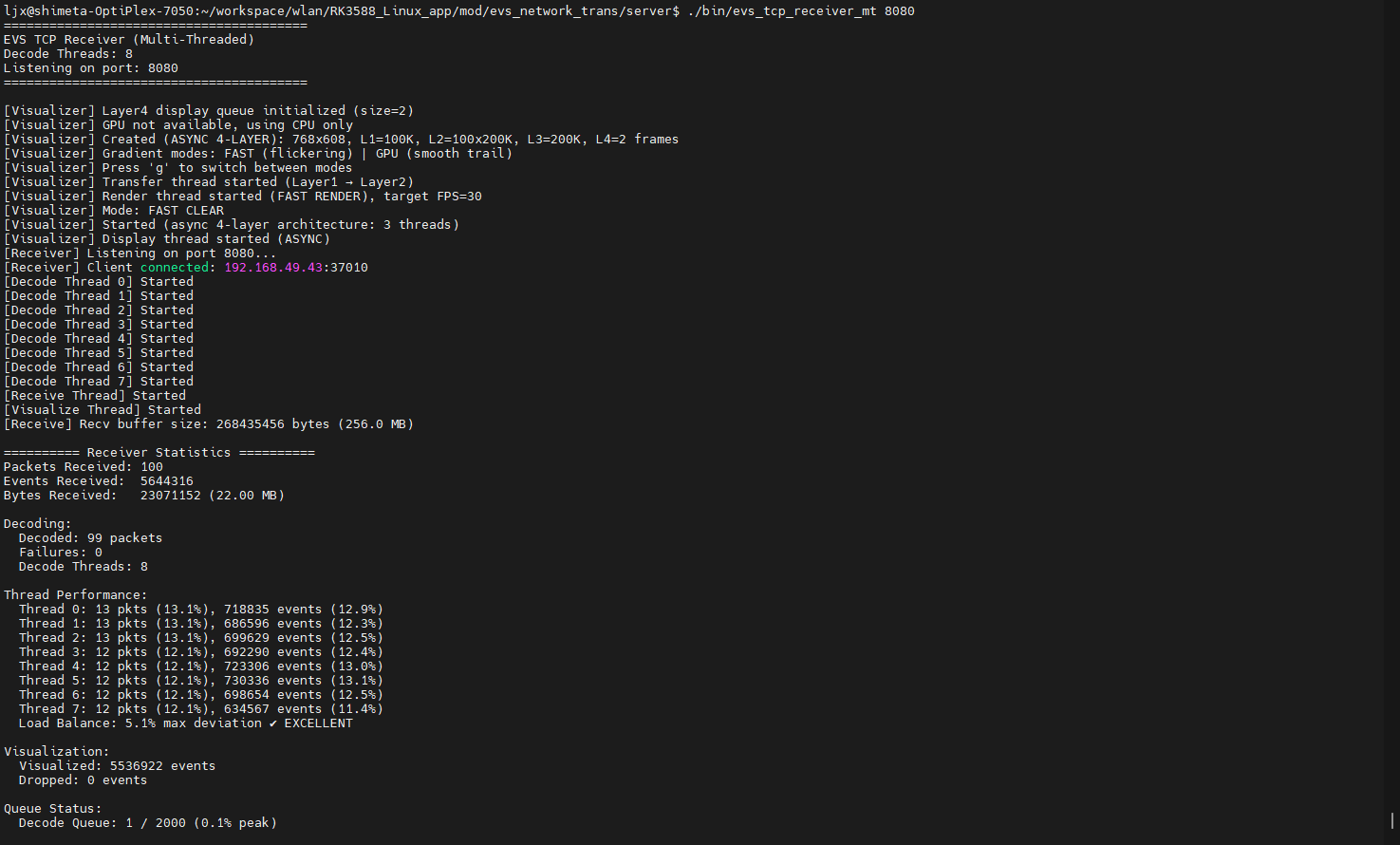
4. Clean Build Files
make clean_receiver