
03 Flashing Guide
1 Windows Flashing Instructions
The SDK provides Windows flashing tools (tool version needs to be V3.31 or above). The tools are located in the project root directory:
tools/
├── windows/RKDevTool
As shown in the figure below, after compiling and generating the corresponding firmware, device flashing requires entering MASKROM or LOADER flashing mode. Prepare a USB cable with two male ends. After connecting the PC end, connect the other end to the USB-OTG port of the development board. Press and hold the "UBOOT" button and power on the development board to enter the flashing mode. After loading the corresponding path of the compiled firmware, click "Execute" to flash. The following is the flashing file in LOADER mode.
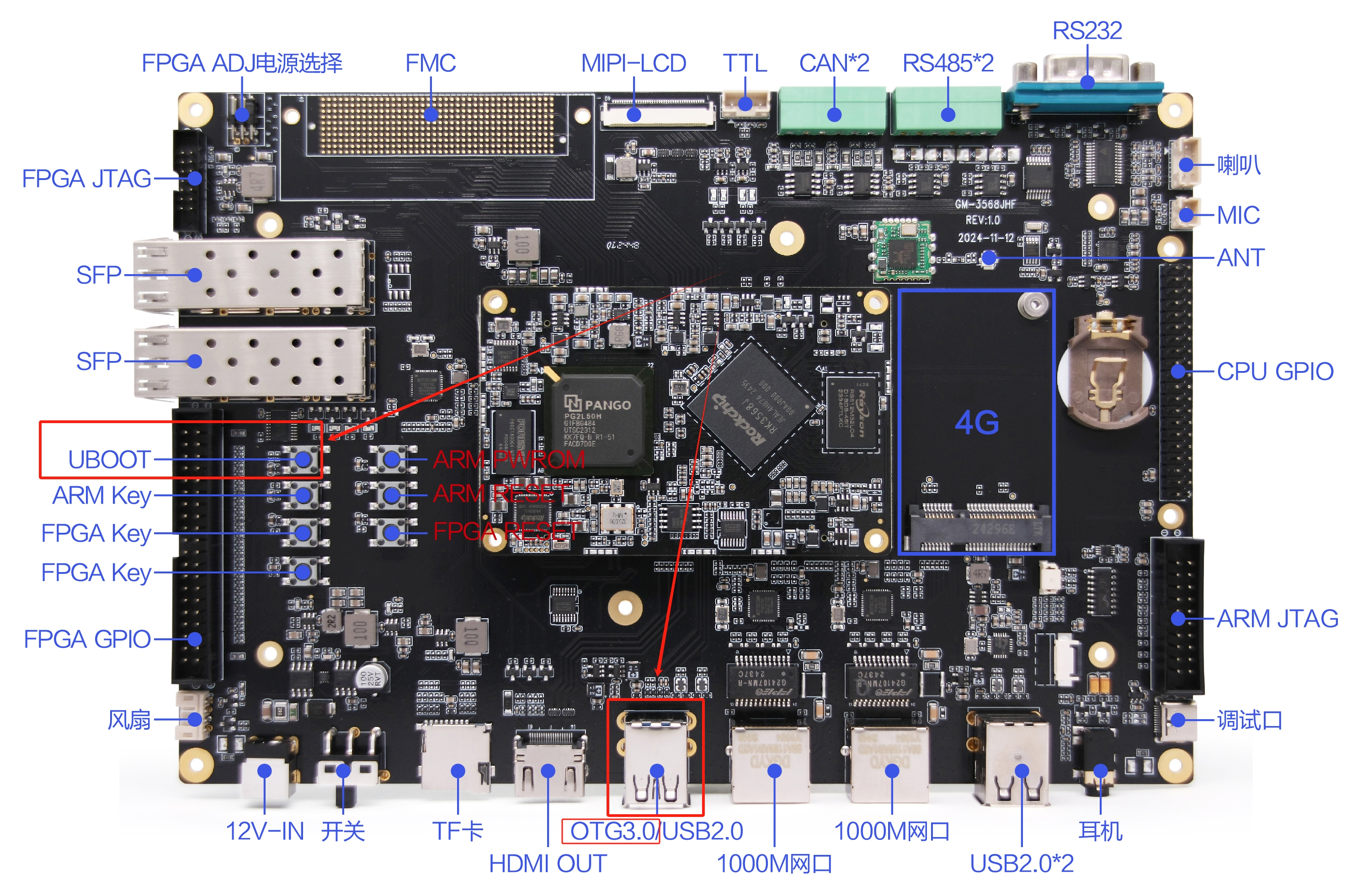
(Note: Windows PC needs to run the tool with administrator privileges to execute)
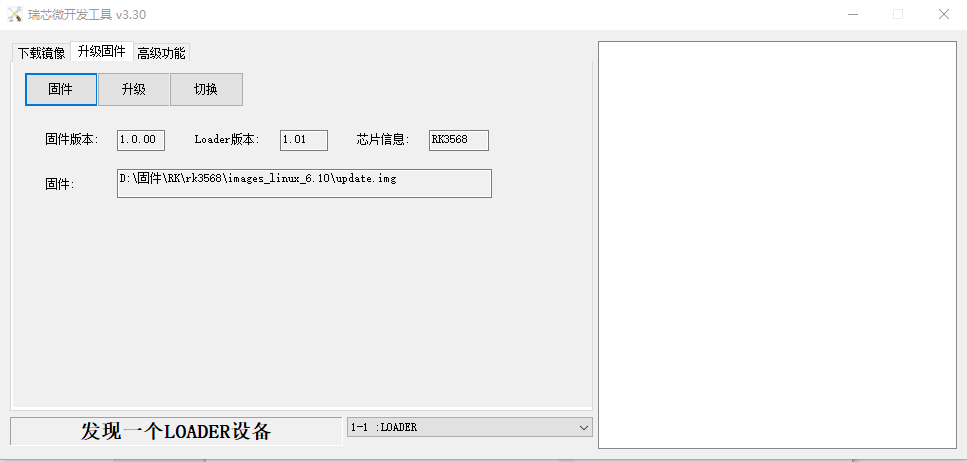
Note: Before flashing, you need to install the latest USB driver. For driver details, see:
<SDK>/tools/windows/DriverAssitant_v5.13.zip2 Linux Flashing Instructions
The flashing tool under Linux is located in the tools/linux directory (Linux_Upgrade_Tool tool version needs to be V2.36 or above). Please confirm that your board is connected to MASKROM/loader rockusb. For example, if the compiled firmware is in the rockdev directory, the upgrade command is as follows:
sudo ./upgrade_tool ul rockdev/MiniLoaderAll.bin -noreset
sudo ./upgrade_tool di -p rockdev/parameter.txt
sudo ./upgrade_tool di -u rockdev/uboot.img
sudo ./upgrade_tool di -misc rockdev/misc.img
sudo ./upgrade_tool di -b rockdev/boot.img
sudo ./upgrade_tool di -recovery rockdev/recovery.img
sudo ./upgrade_tool di -oem rockdev/oem.img
sudo ./upgrade_tool di -rootfs rocdev/rootfs.img
sudo ./upgrade_tool di -userdata rockdev/userdata.img
sudo ./upgrade_tool rd
Or upgrade the packaged complete firmware:
sudo ./upgrade_tool uf rockdev/update.imgOr run the following upgrade in the root directory when the machine is in MASKROM state:
./rkflash.sh3 System Partition Instructions
Default partition description (The following is RK3568 EVB partition reference)
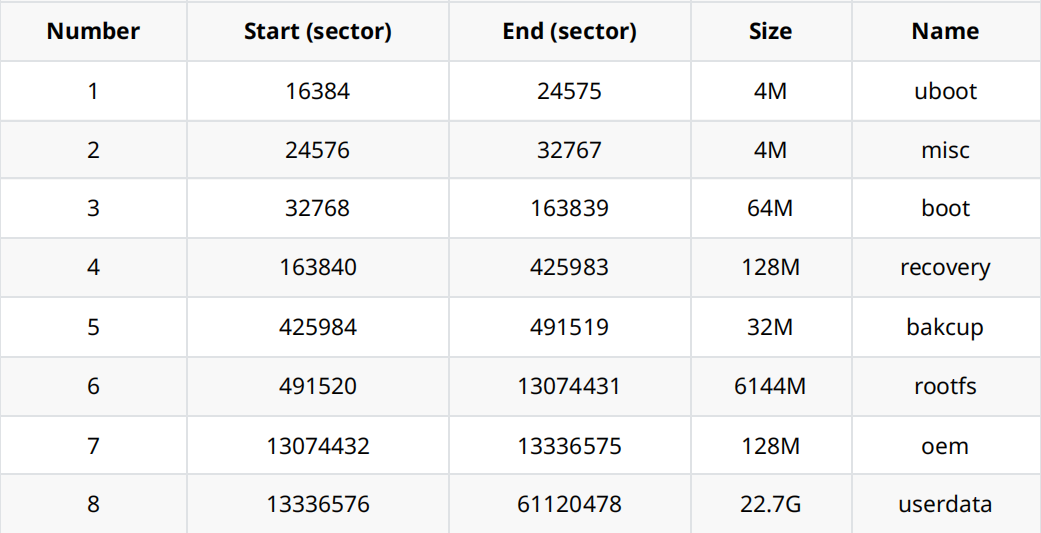
- uboot partition: for uboot.img compiled by uboot.
- misc partition: for misc.img, used by recovery.
- boot partition: for boot.img compiled by kernel.
- recovery partition: for recovery.img compiled by recovery.
- backup partition: reserved, currently not used.
- rootfs partition: for rootfs.img compiled by buildroot, debian or yocto.
- oem partition: used by manufacturers to store manufacturer's APP or data. Mounted in /oem directory.
- userdata partition: used for APP temporary file generation or for end users, mounted in /userdata directory.