
ARM and FPGA Communication
1 Hardware Interface Introduction
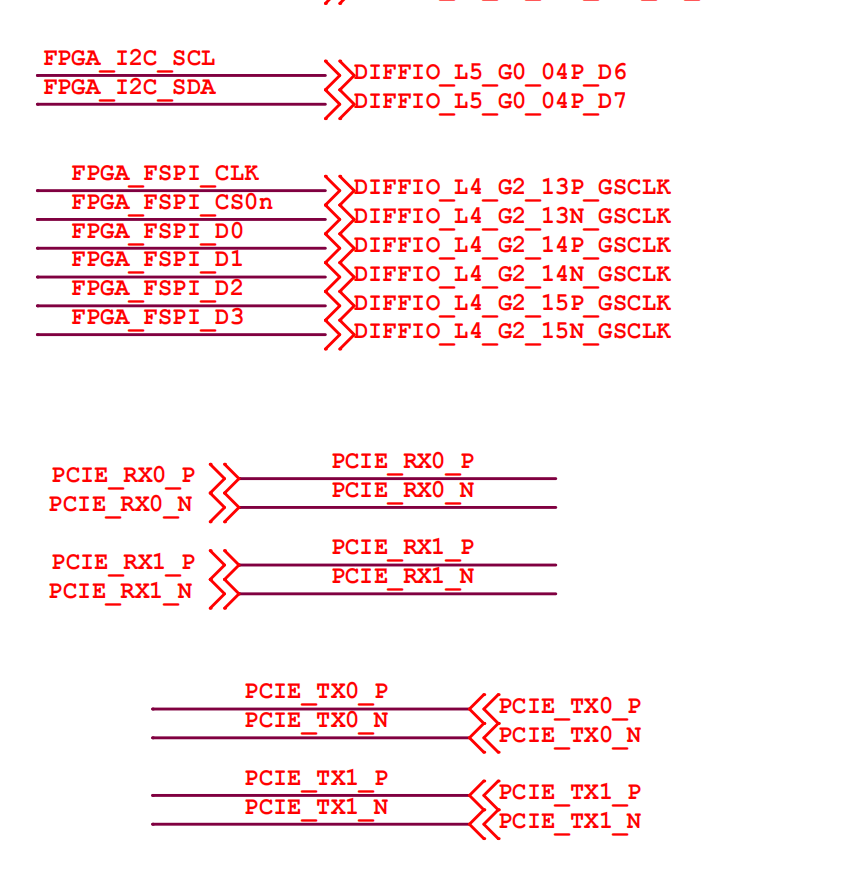
There are three interfaces for communication between the FPGA and the RK chip: IIC, FSPI, and PCIE. The schematic is shown below:
2 IIC Communication
In IIC communication, the FPGA acts as the slave with device address 0x66.
Three register addresses are currently defined in the code: 0x00, 0x01, and 0x02. Of these, 0x02 is a read-only register.
The 0x00 register can be used to test whether read/write data is correct — for example, write a 1, and if you read back 1 the communication is working normally.
i2cdetect -r -y -a 0
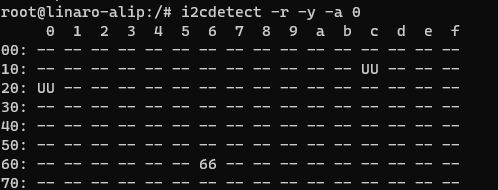
You can see there is a 0x66 address on the I2C bus.
i2cset -r -y -a 0 0x66 0x00 0x40

After running this command, 0x40 is written to register 0x00.
Now enter the command i2cdump -f -y -a 0 0x66
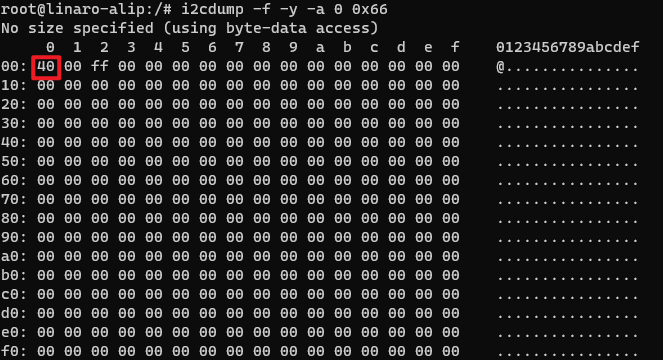
This command lists the values of all registers at 0x66; you can see the value of register 0x00 is now the 0x40 you just wrote.
i2cget -f -y -a 0 0x66 0x00

Reading the value of register 0x00, you can see 0x40 is returned — consistent with the written value.
The 0x01 register can control the LED state. Enter the following command:
i2cset -f -y -a 0 0x66 0x01 0x01
Now the carrier-board LED lights up.
Enter the following command:
i2cset -f -y -a 0 0x66 0x01 0x00
Now the carrier-board LED turns off.
i2cset -f -y -a 0 0x66 0x01 0x03
Now both LEDs on the carrier board light up.
Because the code assigns only the lower 2 bits of this register to the LEDs, an LED lights up only when the corresponding lower bit is 1. This confirms IIC read/write communication is working normally.
3 FSPI Communication
The FPGA and RK interact via FSPI. The FPGA has an RAM used to buffer data, implementing a read/write loopback.
First load the driver:
insmod smdt_spi_controller.ko

Then enter the command: lsmod

The text shown in the red box above indicates the driver was loaded successfully.
Switch into the directory containing the smdt_spi_rw executable, then enter the command:
./smdt_spi_rw -d /dev/spidev4.0 -s 50000000 -OH -m 3 -S 1024 -c 1
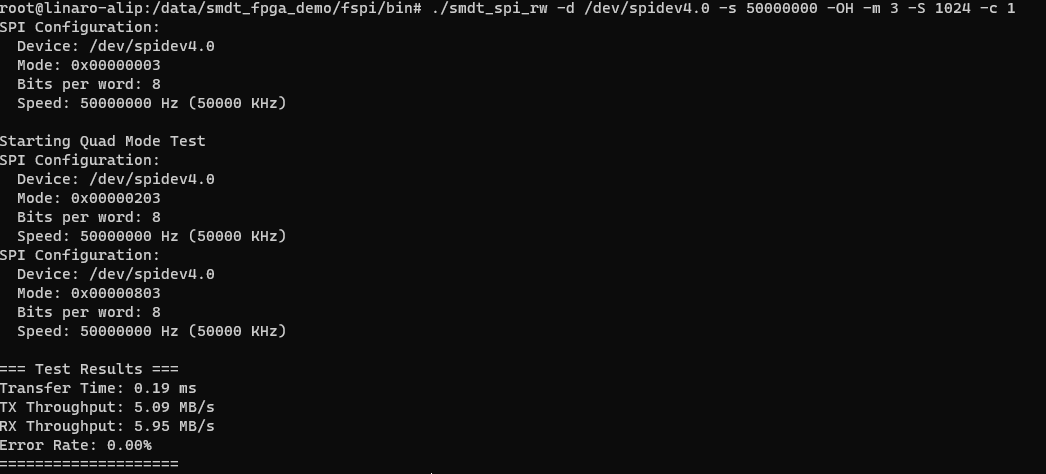
A Byte error rate of 0 means communication is normal and the data read/write is correct.
Here -s sets the communication frequency, 50 MHz.
-m selects the mode: 1 = single-line mode, 2 = dual-line mode, 3 = quad-line mode.
-S indicates the transfer size; here it is 1024. Because the FPGA RAM depth is set to 2048, a byte error will occur once the transfer exceeds 2048.
-c indicates the number of transfers; 1 means transfer once.
4 PCIE Communication
Related file paths
smdt_fpga_dma_memcpy_demo project directory path:01-开发资料(百度云盘) -> 05-开发资料 -> 01-Linux系统 -> linux_demo -> smdt_fpga_dma_memcpy_demo
(Based on the project path above) FPGA flashing-file path: fpga_sfc -> dram_pcie_pg2l50h.sfc smdt_fpga_dma_memcpy_demo executable path: bin -> smdt_dma_memcpy_demo
4.1 Flashing the FPGA Program
The FPGA side must first be flashed with the PCIe project. Because the RK only recognizes PCIe devices once during power-up, you must ensure the FPGA has loaded the PCIe program before the RK finishes booting; otherwise recognition will fail.
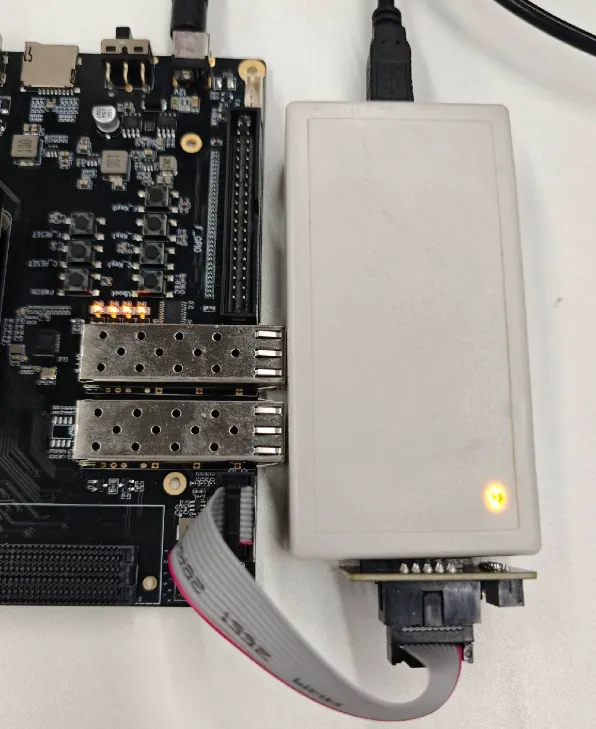
- Connect the FPGA's USB downloader.
Note
After inserting the USB into the computer's USB port, the downloader shows a red light; after powering on the board, the downloader shows a yellow light.
- Open the FPGA flashing software.

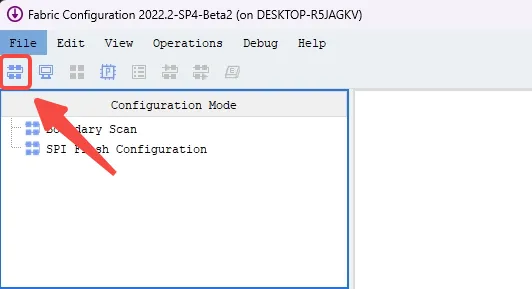
- Power on the development board, then click the icon pointed to by the arrow in the figure below within the software.
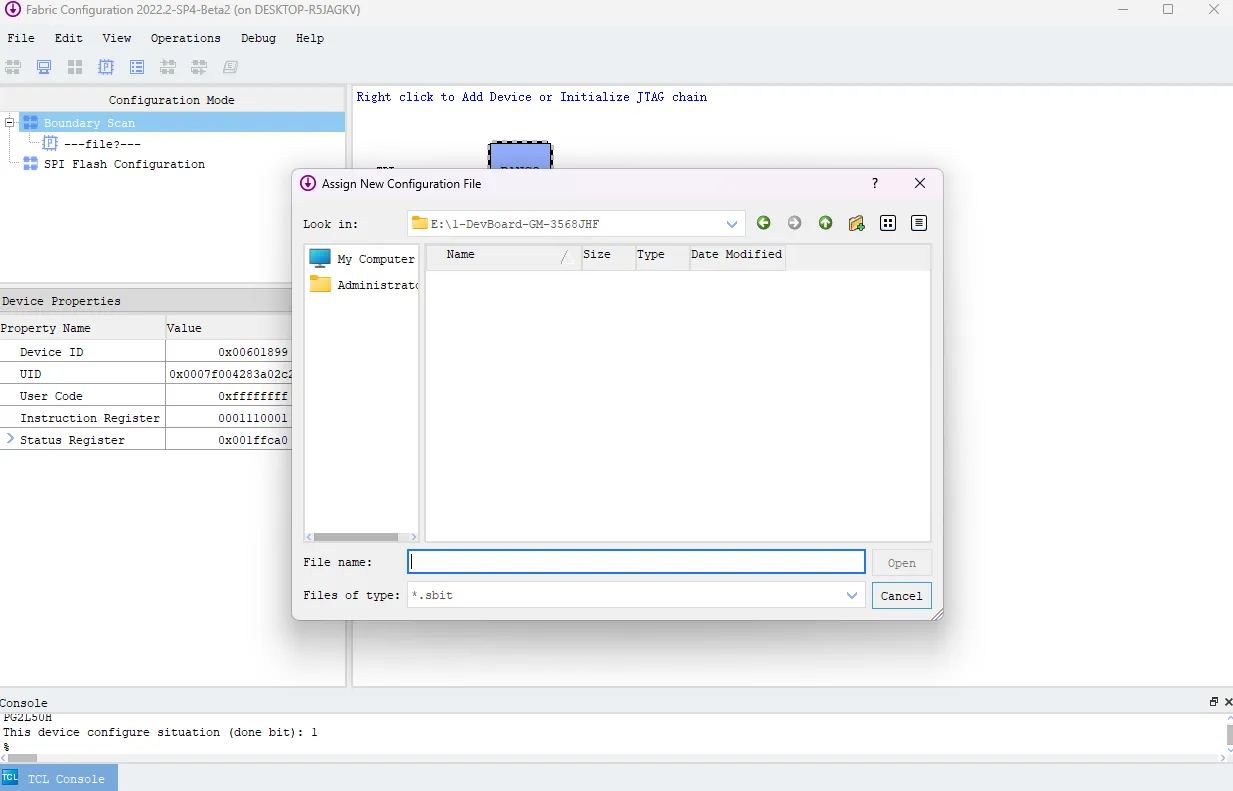
- When the device is recognized, the following interface appears; close the popup window.
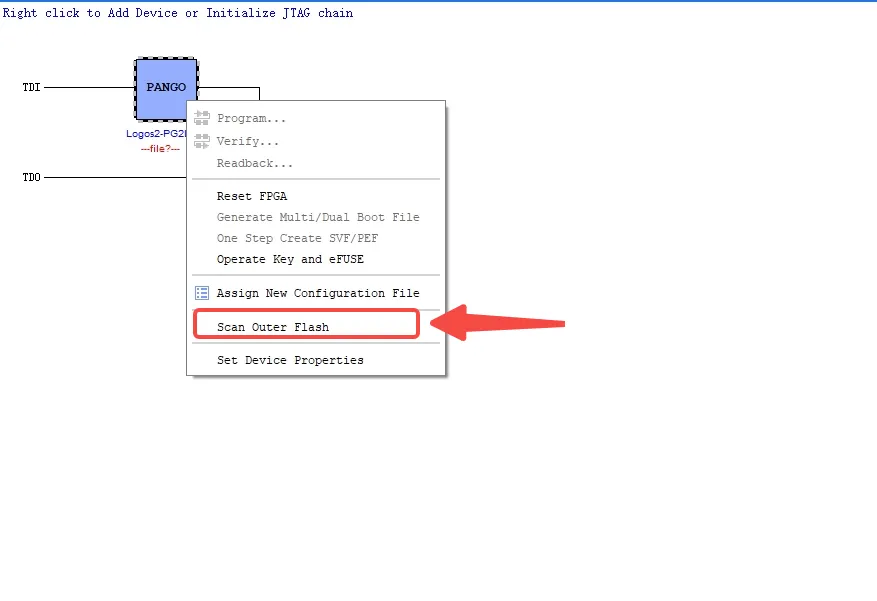
- Move the mouse over the chip, right-click, then select the option pointed to by the arrow in the figure below.
- In the popup window, select the required
dram_pcie_pg2l50h.sfc, then click Open.
Note
The path to the sfc file must not contain Chinese characters, otherwise an error will occur and it cannot be opened.
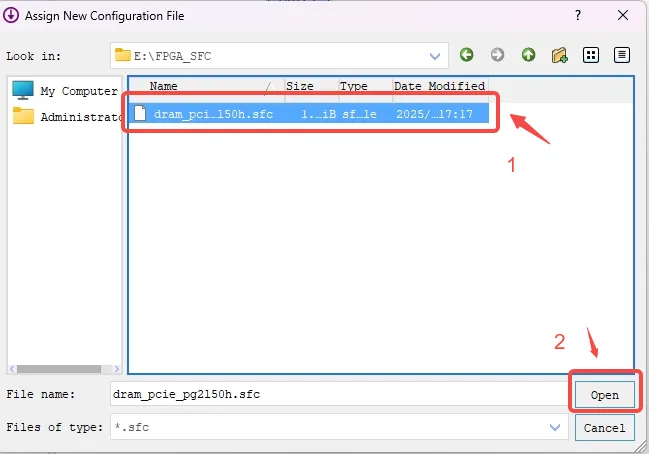
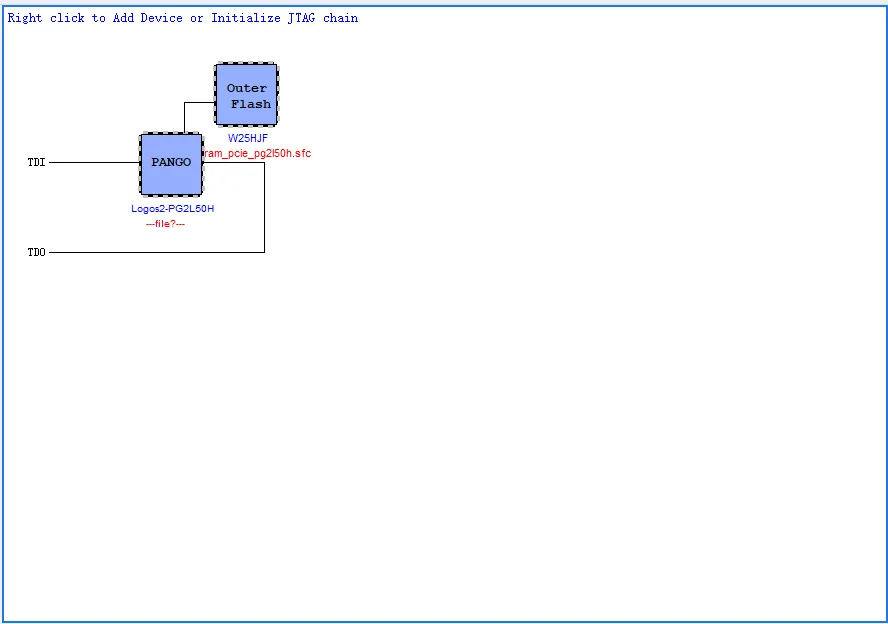
- Right-click Outer Flash and choose Program as pointed to by the arrow below; this will flash the program.
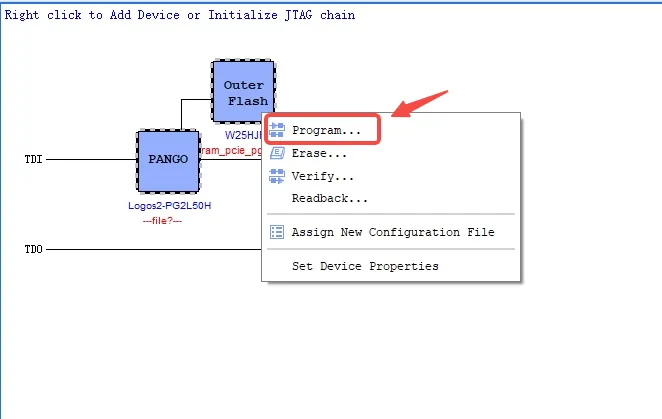
- Wait for flashing to complete...

- The Console showing the following message indicates flashing is complete.

4.2 Running the PCIE Communication Demo
Restart the development board.
Enter the following commands in the debug tool to switch to adb.
echo 1 > /sys/devices/platform/fe8a0000.usb2-phy/otg_mode
echo 2 > /sys/devices/platform/fe8a0000.usb2-phy/otg_mode
usbdevice start
The practical result is as follows:

- Open cmd and check whether there is an adb device.
adb devices
- Push
smdt_dma_memcpy_demoonto the board via the adb push command.
Note
This example places smdt_dma_memcpy_demo on the E: drive and intends to push it to the board's /data directory.
adb push E:\smdt_dma_memcpy_demo /data/
- Find the file on the board and add the executable permission; enter the following commands in cmd.
adb shell
cd /data
ls
chmod +x ./smdt_dma_memcpy_demo
ls -al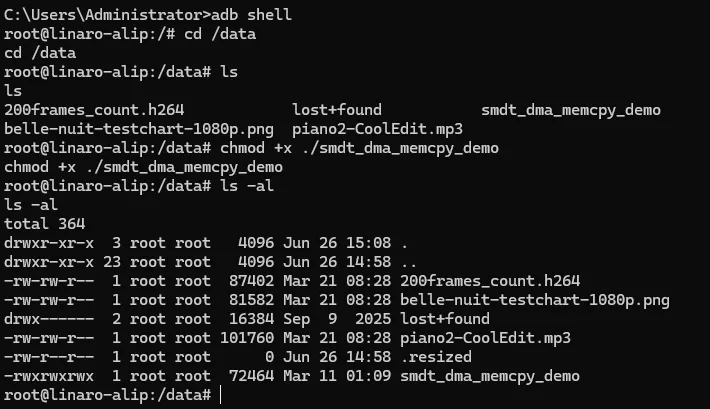
- Use commands to check whether the PCIe link has been established and whether
input_dev_demohas been generated.
lspci -vv
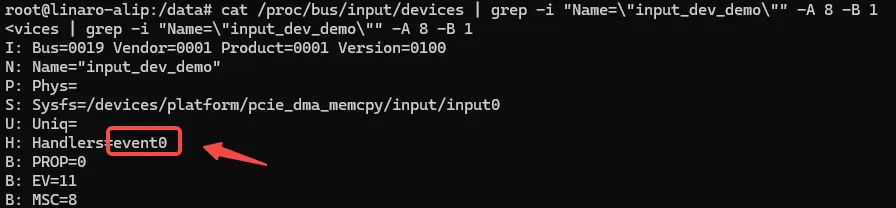
cat /proc/bus/input/devices | grep -i "Name=\"input_dev_demo\"" -A 8 -B 1
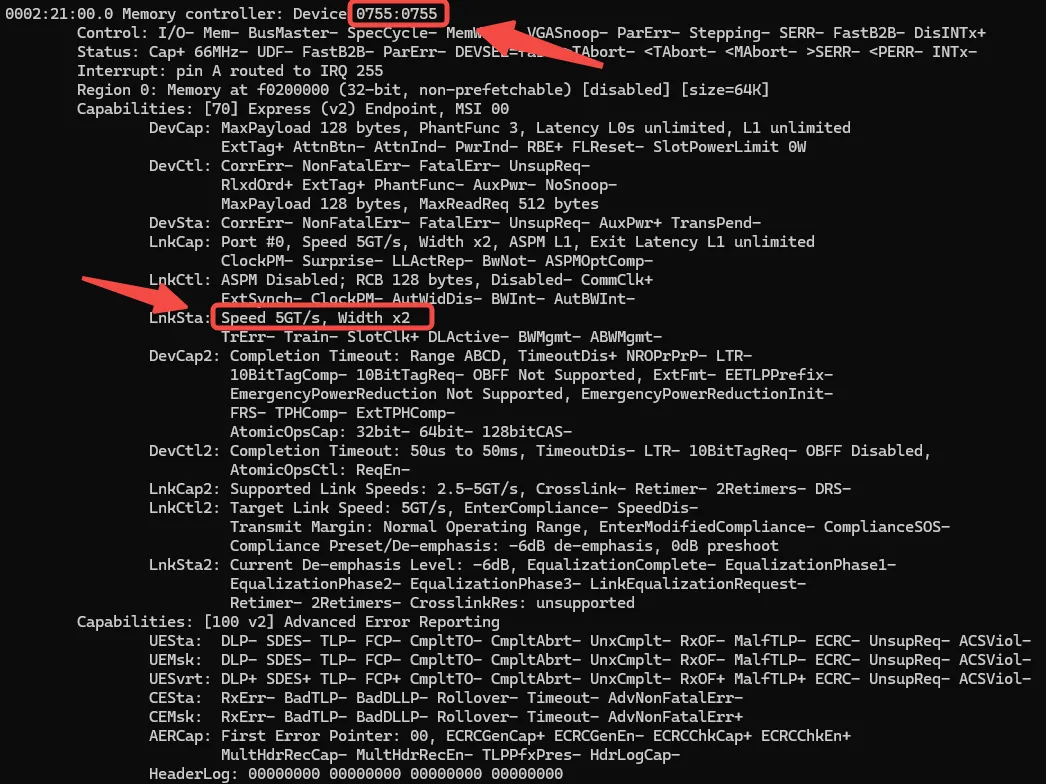
Entering lspci -vv produces the output below. If 0755:0755 can be displayed and the lnkSta status is normal — Speed 5GT/s, Width x2 — then PCIe has linked up. You can also see the LED on the board blinking rapidly.
Note
From the figure below you can also see that the PCIe BAR space is mapped to 0xf0200000 with a size of 64 KByte.
Entering cat /proc/bus/input/devices | grep -i "Name=\"input_dev_demo\"" -A 8 -B 1 produces the output below. In this example, the input_dev_demo device is event0.
- Run the following commands to run the PCIE communication Demo.
echo 1 > /sys/class/pci_bus/0002:21/device/0002:21:00.0/enable
./smdt_dma_memcpy_demo -a 0xf0200000 -s 20480 -c 1 -d /dev/input/event0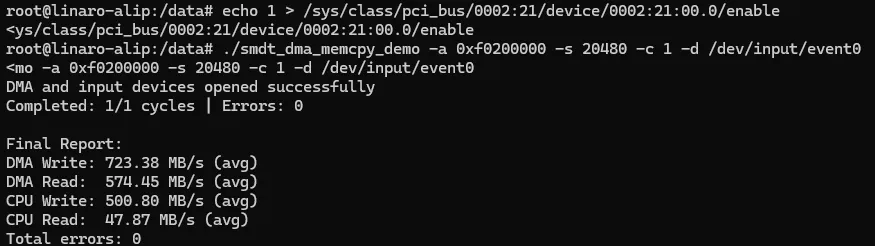
Info
If neither read nor write reports an error, the DMA interaction is normal. -a indicates the address -s indicates the number of bytes to transfer -c indicates the number of transfers -d indicates the device path You can adjust s and c to change the amount of data transferred by DMA.
4.3 Source Code Walkthrough
1️⃣ Open the device node
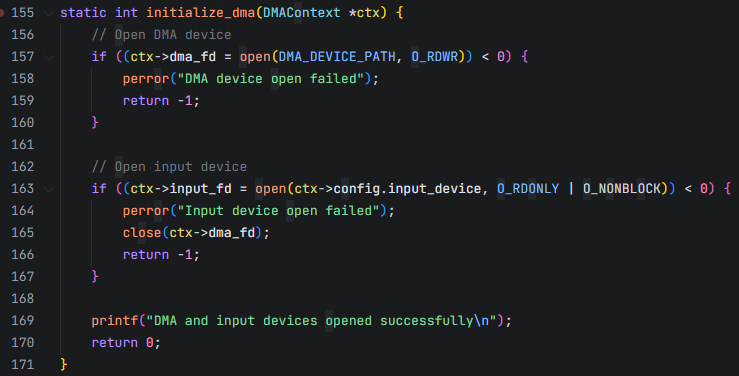
2️⃣ Write-test phase code walkthrough (ARM -> FPGA)
Info
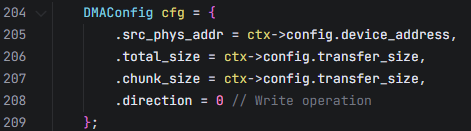
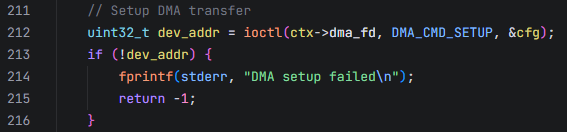
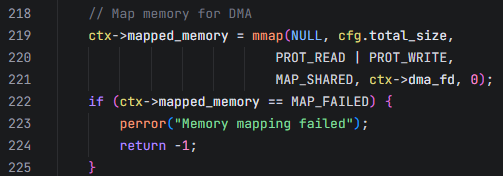
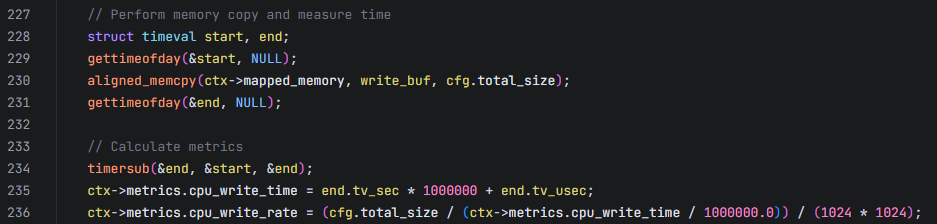
Function: static int perform_write_test(DMAContext *ctx, uint16_t *write_buf); Flow: ARM prepares data → DMA setup → memory mapping → CPU copy → DMA transfer → wait for completion
- DMA configuration
- Establish the DMA channel
- Establish memory mapping
- CPU data copy and performance test
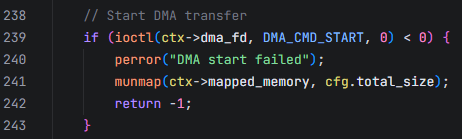
Start the DMA
The ioctl function starts the DMA and moves the data to the FPGA DRAM over the PCIe bus.
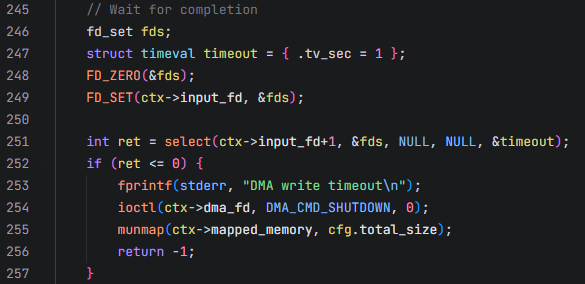
Wait for transfer completion
The program waits to receive the input event reported by the driver.
Retrieve DMA transfer performance metrics
After the program receives the input event reported by the driver, indicating that the DMA transfer is complete, it obtains the time taken by the DMA to move the data via the ioctl function and computes the DMA transfer rate.

Cleanup and close
- Clean up the memory mapping
- Close the DMA transfer and return the status

3️⃣ Read-test phase code walkthrough (FPGA -> ARM)
Info
Function: static int perform_read_test(DMAContext *ctx, uint16_t *write_buf, uint16_t *read_buf); Flow: DMA setup → DMA transfer start → wait for completion → memory mapping → CPU copy → data verification
- DMA configuration
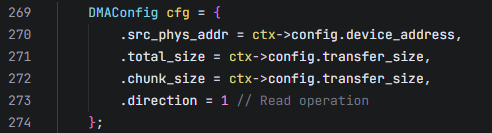
- Establish the DMA channel
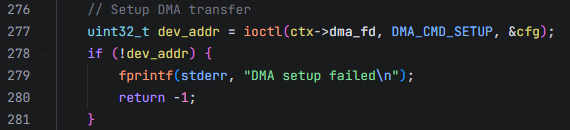
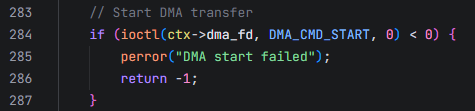
Start the DMA
The ioctl function starts the DMA and moves the FPGA DRAM data over the PCIe bus into a contiguous memory region requested by the driver (located in DDR).
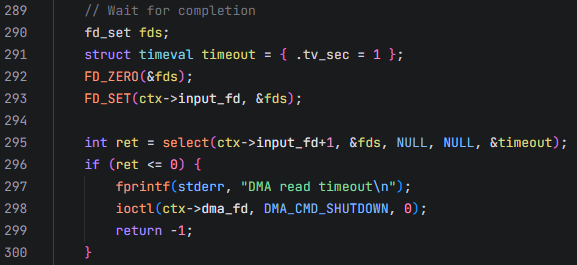
- Wait for FPGA data transfer
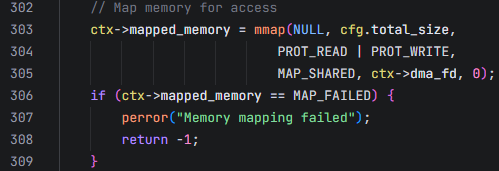
- Establish memory mapping
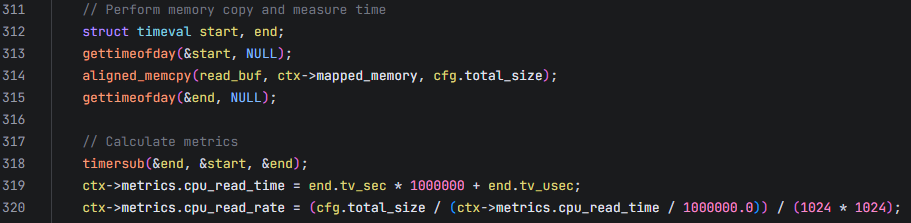
Read data
After receiving the input event reported by the driver, the program reads the data from kernel space into user space.
Data integrity verification
Verifies that the data matches the data that was written.
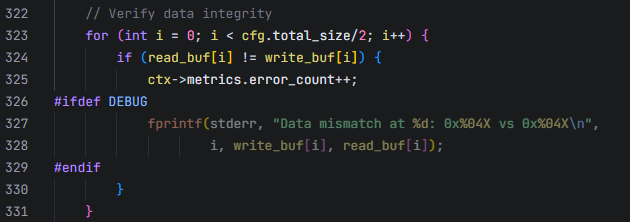
Retrieve DMA performance metrics
Obtains the time taken by the DMA to move the data via the ioctl function and computes the DMA transfer rate.

Cleanup and close
- Clean up the memory mapping
- Close the DMA transfer and return the status

4.4 The ioctl Function
For the specific implementation, see the smdt_pcie_dma_memcpy.c file in the kernel source. Partial code is shown below:
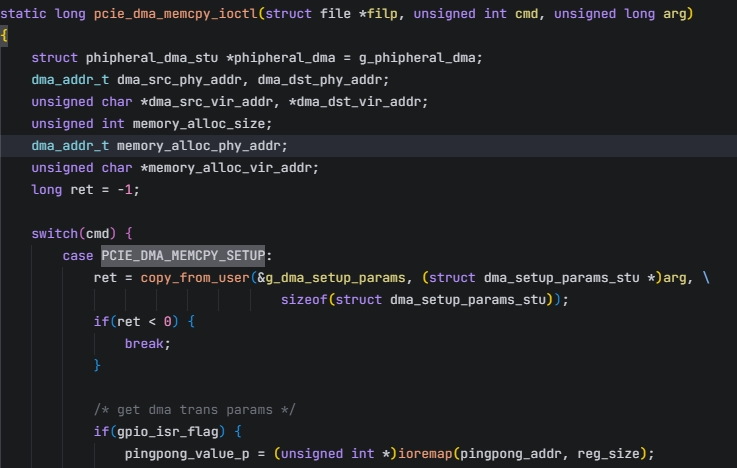
Specific file path
File path: SDK/kernel-6.1/drivers/pci/pcie/smdt_pcie_dma_memcpy.c
4.5 FPGA-Side Details
For the FPGA-side content of the PCIe communication test, please refer to: PCIe-based DMA/PIO control experiment