
08 Web Window
1. Overview
The Web end is an interface for controlling camera devices through Web pages. It communicates with devices through the HTTP protocol to realize remote control and monitoring of devices.
2. Interface Preview
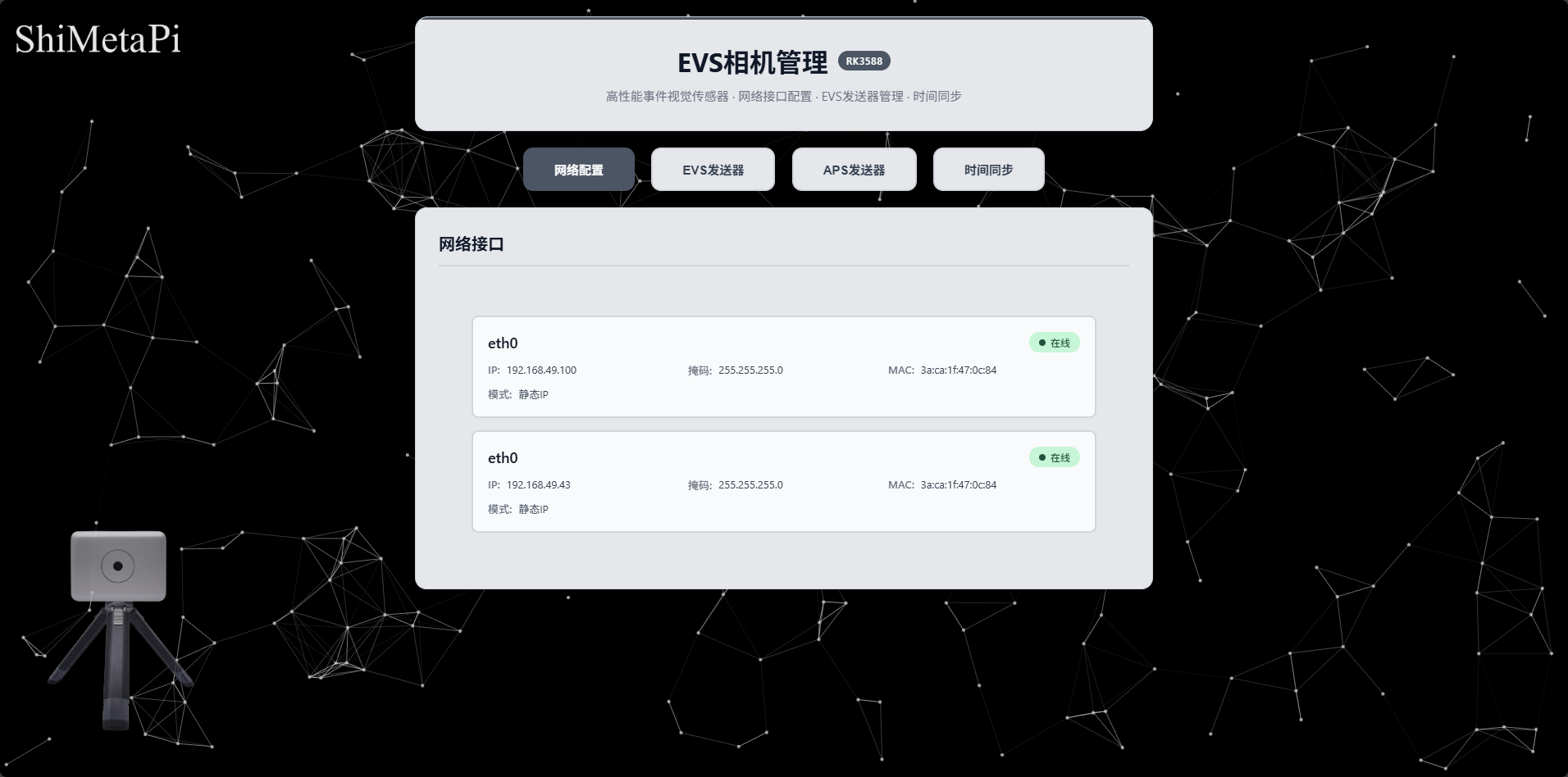
PC Interface:
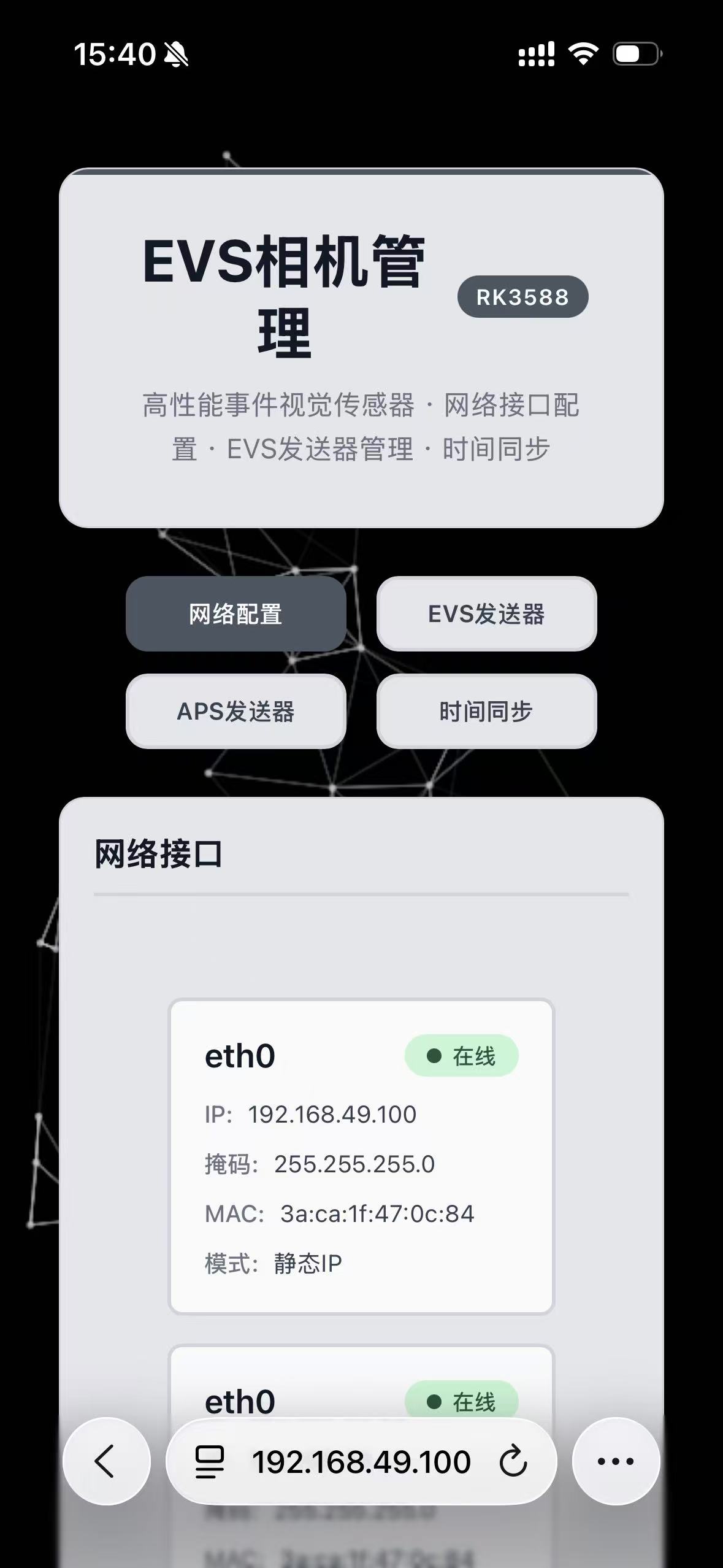
Mobile Interface:
3. Camera IP Modification
Click Network Interface to configure network
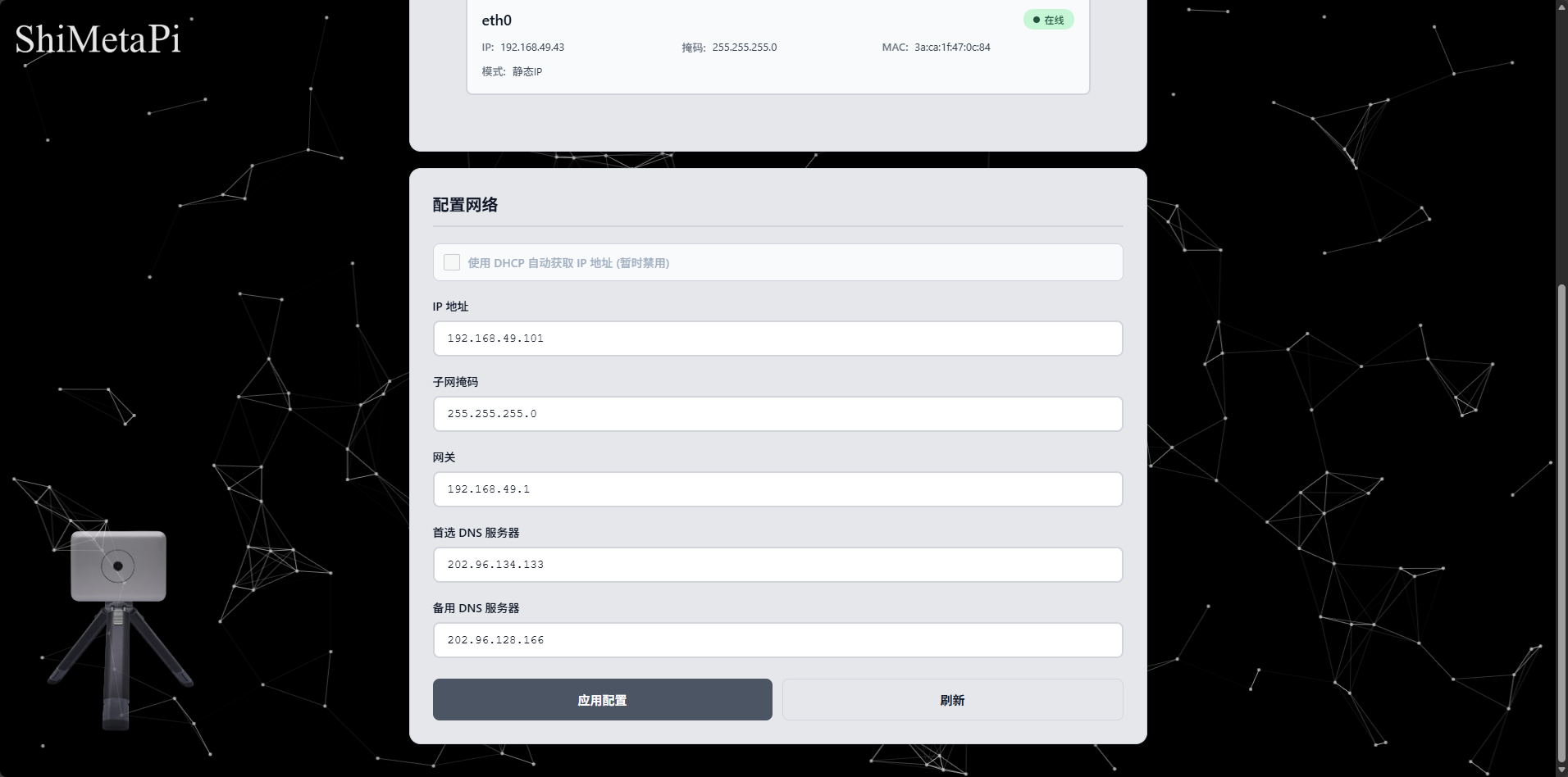
Configure the IP address, subnet mask, gateway, DNS and other information that need to be modified, click Apply Configuration to save
4. EVS Sender
Configure the parameters of the EVS sender as needed in the configuration interface, and click Save Configuration.
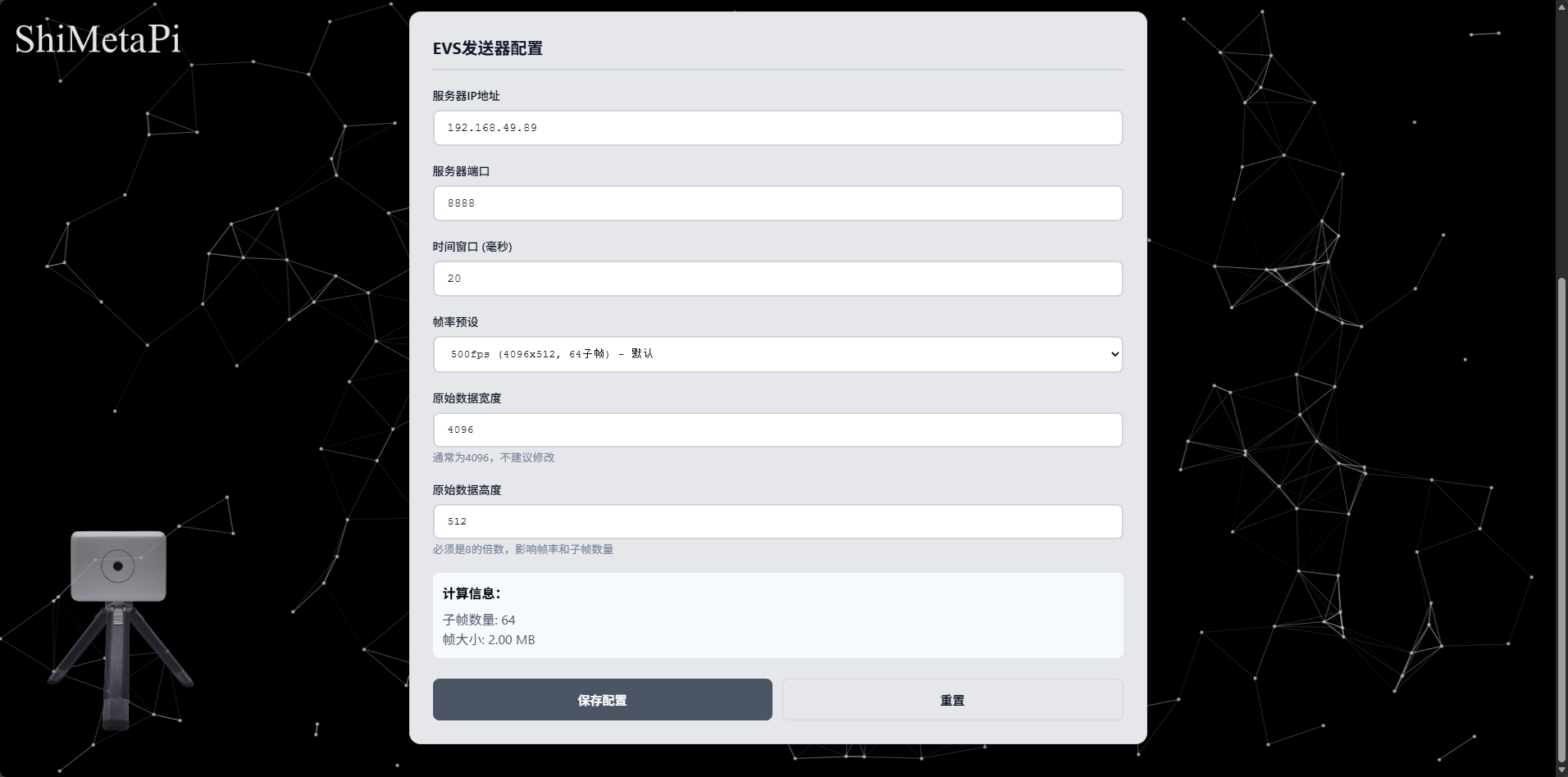
After the receiving end starts receiving, click the Start button, and the EVS sender starts sending data.
5. APS Sender
Configure the parameters of the APS sender as needed in the APS RTSP server configuration interface, and click Save Configuration
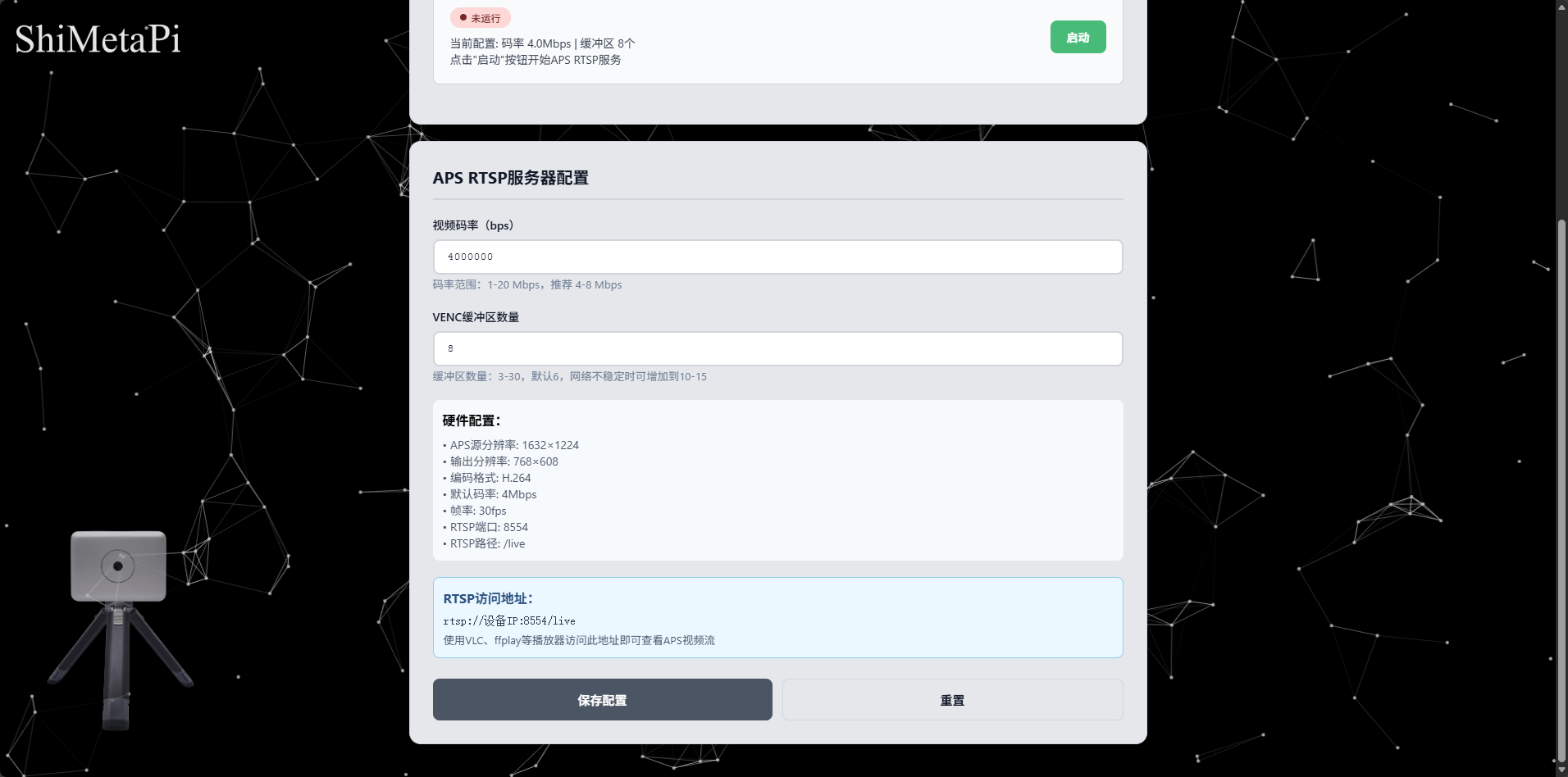
After configuration is complete, click the Start button, and the APS sender starts sending data. Use players like VLC to access rtsp://device_ip:8554/live.
6. Time Synchronization
Click Time Synchronization to configure time synchronization
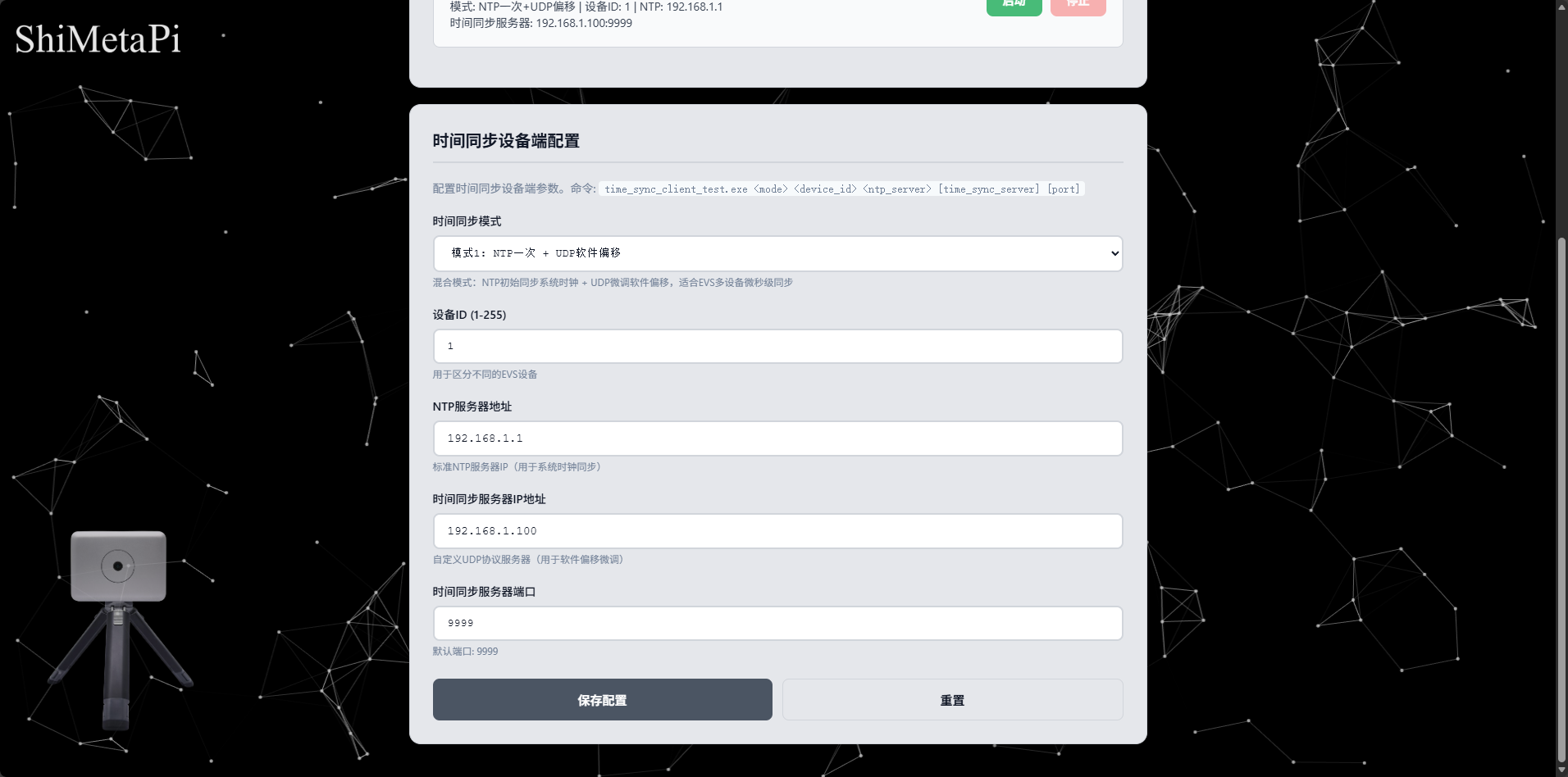
After configuration is complete, click the Start button, and time synchronization starts.
Tips
When configuring the EVS sender, the frame rate preset must be consistent with the actual frame rate of the camera.