
Image Burning
1. RK USB Driver Installation
- Open the Rockchip USB driver package (DriverAssitant_v5.1.1) from the documentation bundle.
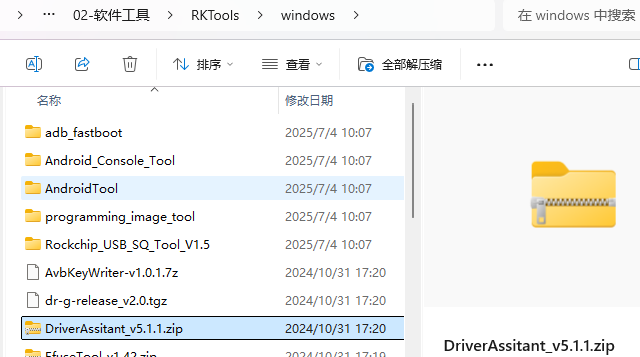
Note:
Driver path: M5R1 documentation > 02-Software Tools > RKTools > windows > DriverAssitant_v5.1.1.zip
- After extracting the archive, run the driver installer (DriverInstall.exe) in the folder.
2. RK Upgrade Tool Usage
- Standalone upgrade tool (RKDevTool_Release_v2.84)
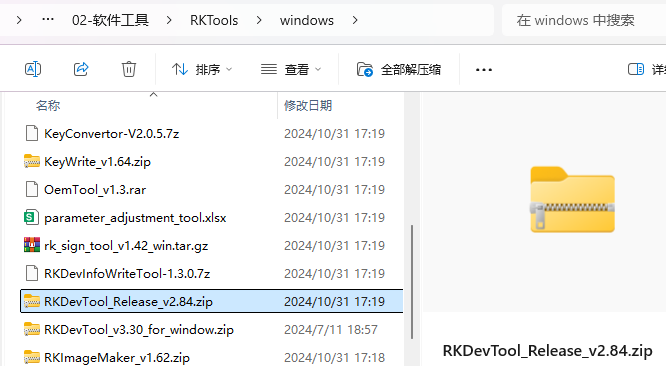
Note:
Tool path: M5R1 documentation > 02-Software Tools > RKTools > windows > RKDevTool_Release_v2.84.zip The upgrade tool is updated periodically.
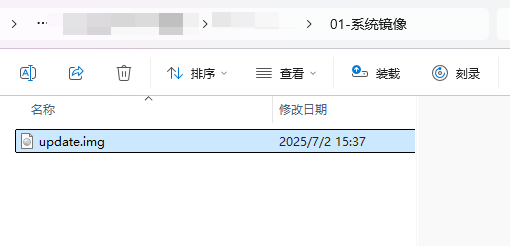
- Download the image to your local PC.
The documentation bundle contains an image at: M5R1 documentation > 01-System Image > update.img
- Extract the downloaded upgrade tool archive RKDevTool_Release_v2.84.zip, then double-click RKDevTool.exe to launch the upgrade tool. Use a dual-A USB cable: connect one end to the PC USB port and the other end to the OTG-USB port on the board. Press and hold the Uboot button while connecting the 5V power adapter. Release the Uboot button once the upgrade tool shows "Found one LQADER device".
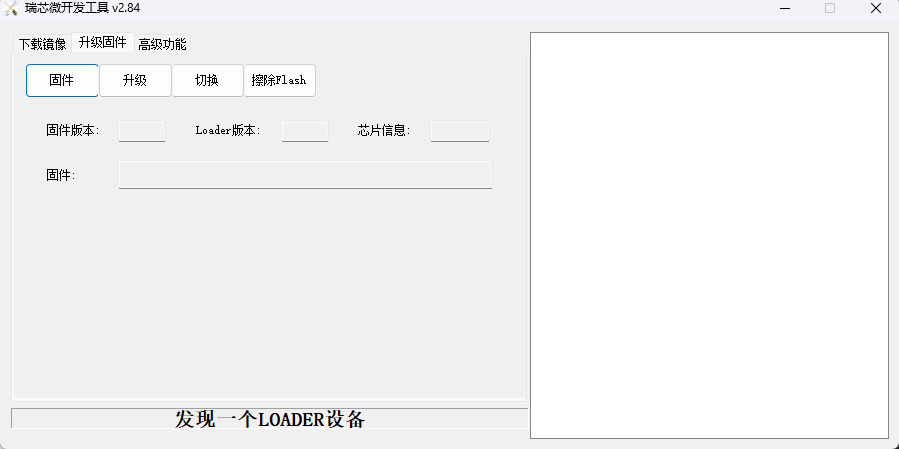
- On the "Upgrade Firmware" tab, click the "Firmware" button and select the update.img file downloaded in step 2). Then click Upgrade.
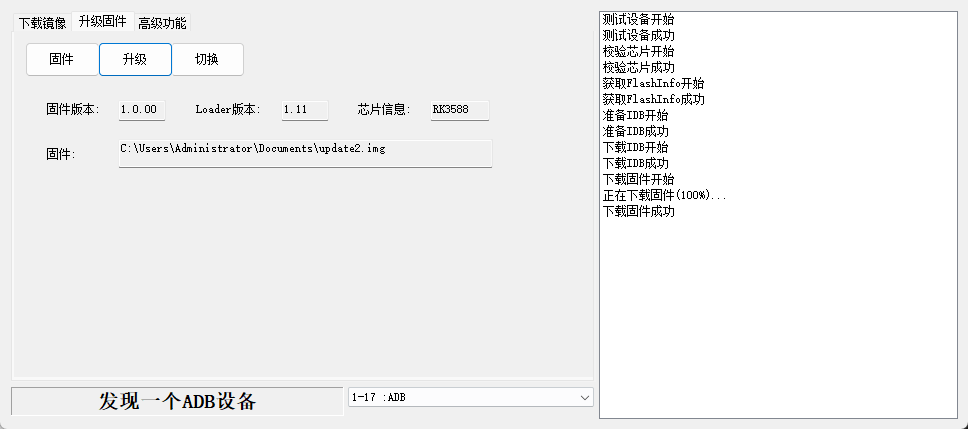
- After a successful upgrade, the device reboots automatically after about 10 seconds and the display shows the system desktop.