
40pin IO Development
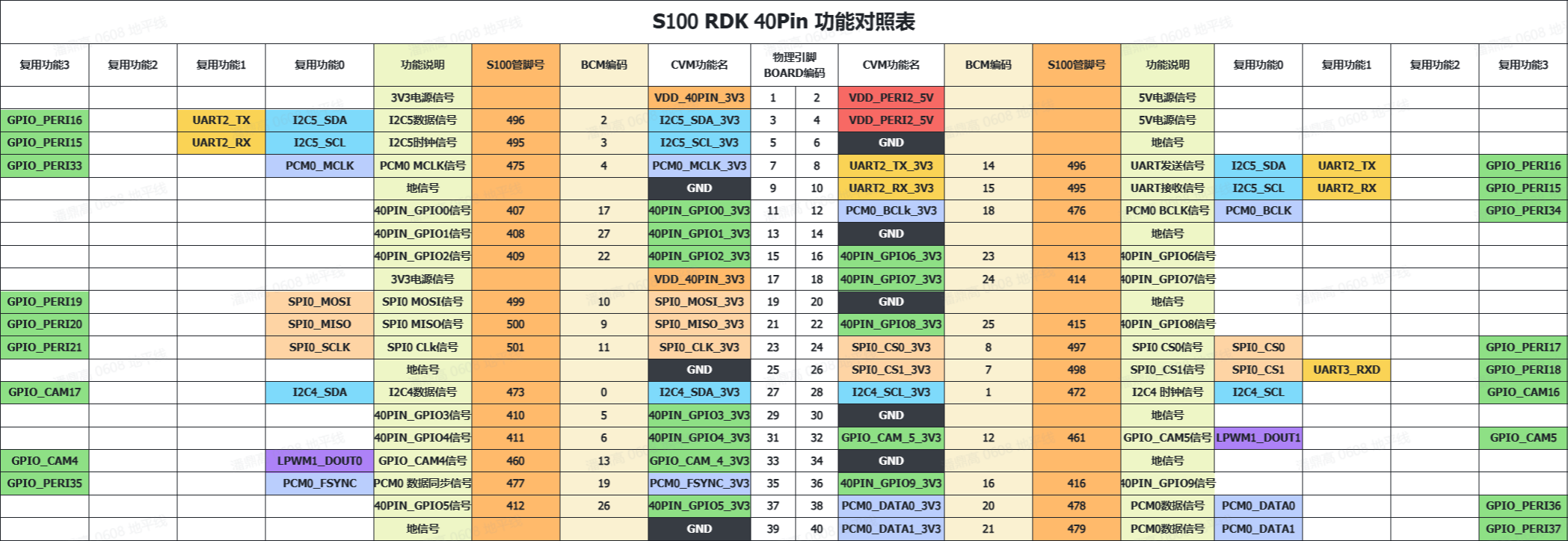
Experiment 01 - GPIO Output (LED Blinking)
- Hardware Connection
Connect LED bulb to VCC, GND, and IO37 on the S100 mainboard
- Software Operation
Enter user home directory and run:
cd usersudo python3 ./LED_out.py
Terminal as shown:

At this point, you can see the LED bulb starts flashing at one-second intervals.
Experiment 02 - GPIO Input
- Hardware Connection
Connect button circuit to IO37 (can use DuPont wire instead of button)
- Software Operation
Enter user home directory and run:
cd usersudo python3 ./GPIO_input.py
Terminal as shown:
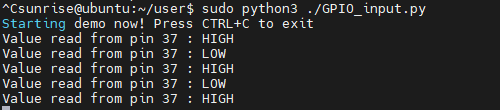
At this point, you can see when the button is pressed, the terminal outputs low level; when released, the terminal outputs high level.
Experiment 03 - Button Control LED On/Off
- Hardware Connection
Connect button circuit to IO24 (can use DuPont wire instead of button), connect LED bulb to IO23
- Software Operation