
GPIO Introduction
GPIO (General-Purpose Input/Output) refers to general-purpose input/output ports, the most basic and most commonly used interface on a chip for communicating digital signals (0 and 1) with external devices or circuits. Each GPIO pin can be configured through software as input or output mode, thereby implementing:
- Input mode: reads external signals (such as button state, sensor high/low level)
- Output mode: controls external devices (such as lighting an LED, controlling a relay, sending simple signals)
Among them, the RK3568 provides up to 5 GPIO Banks (groups), usually labeled GPIO0 ~ GPIO4. Each Bank has 32 pins (but not all pins are brought out). Theoretically, up to 160 GPIOs are supported, but the actually available number depends on the chip's specific package and pin-multiplexing situation.
Generally, IO output levels are 1.8V, 3.0V, 3.3V, etc. The different output voltages depend on the power-domain voltage of the IO, which is related to hardware power supply. For the RK3568 used in this example, the voltage domains corresponding to different IOs are as follows:
- GPIO0: usually in the 3.3V voltage domain
- GPIO1 ~ GPIO4: usually in the 1.8V voltage domain (some models may support 3.3V; consult the specific manual)
Another thing to note is the naming of GPIOs. The Rockchip Pin ID is composed of controller (bank) + port (port) + index number (pin).
- The controller corresponds to the number of GPIO controllers
- The ports are fixed A, B, C, and D; each port has only 8 index numbers (a=0, b=1, c=2, d=3)
- The index numbers are fixed 0, 1, 2, 3, 4, 5, 6, 7
The RK3568 has 5 GPIO controllers; each controller can control 32 IOs. When used as GPIO functions, the port behavior is configured by the GPIO controller registers.
Example: GPIO1_A4 means controller group 1, port number A, index number 4. The calculation formula for this pin number is 32 x 1 + 0 x 8 + 4 = 36. GPIO5_B3 calculation result is 32 x 5 + 8 x 1 + 3 = 171.
1 GPIO Board Interface
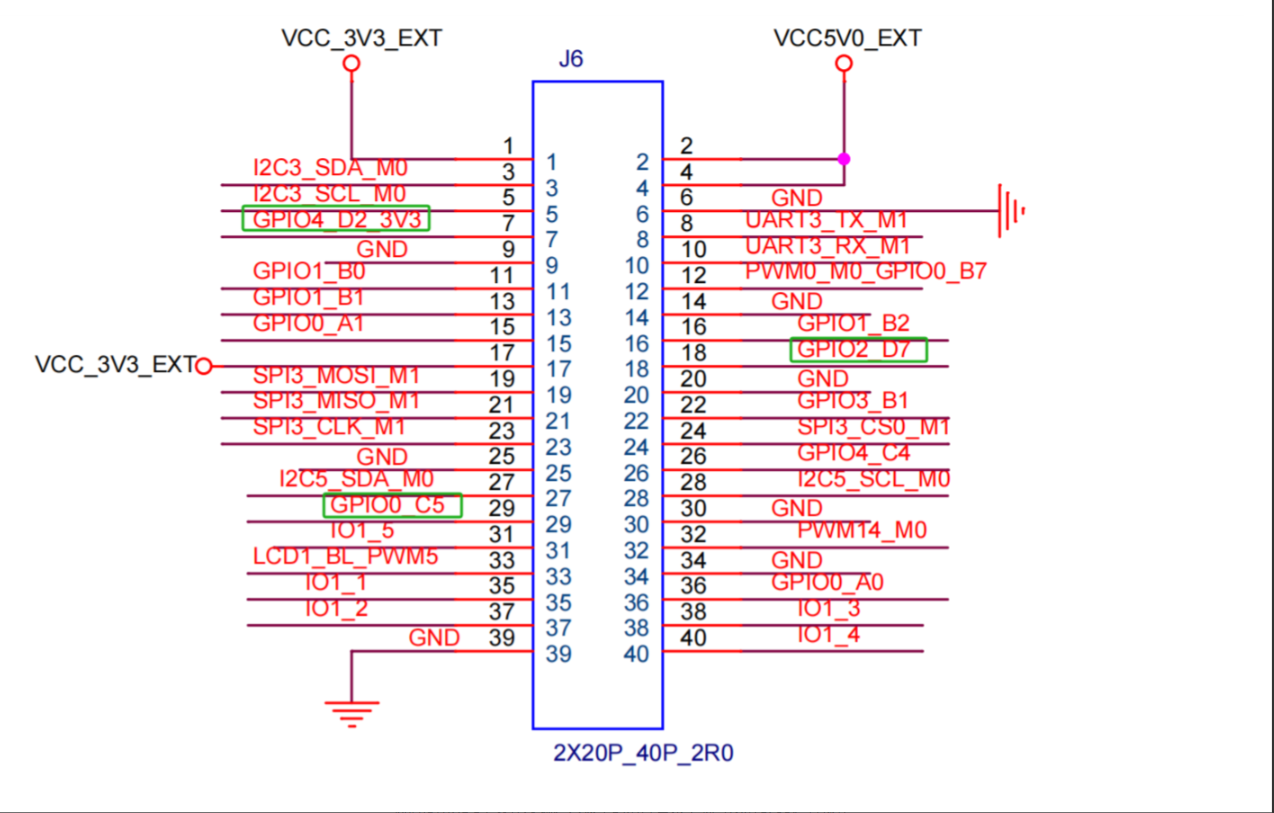
2 GPIO Usage — Command-Line Method
2.1 Principle Introduction
Taking the common echo command as an example, the Linux kernel provides a set of interfaces for debugging GPIO in user mode under the /sys/class/gpio/ directory.
This directory is the manipulation interface provided to user space by the Linux kernel GPIO subsystem through the Sysfs file system. Sysfs is a virtual file system that presents information such as devices, drivers, and modules in the kernel to users in the form of files and directories. It is mounted under the /sys directory, and /sys/class/ is one category in it.
2.2 Common Commands for Operating GPIO
We use the HDC tool to enter the corresponding directory on the board in the terminal and we can then operate on the GPIO:

Among them:
- The export file is used to notify the system to export the GPIO pin number to be controlled
- unexport is used to notify the system to cancel the export (this is because user mode cannot directly operate the kernel for GPIO control; after using this command, the Linux kernel creates a user-access interface, that is, creates a control file; when canceling export, resources are released and the control file is deleted)
- gpiochipN stores the information of the GPIO registers in the system, including the starting number base controlled by each register, the register name, and the total number of pins
Take the operation of exporting pin GPIO0_C5 as an example. First, calculate this pin number: GPIO0_C5 = 8 x 2 + 5 = 21.
Export gpio pin:
Info
In the following commands, the part before '#' is the file path, and the part after '#' is the command. In actual use, we only need to enter the corresponding command!!!
It is recommended that everyone operate by typing the code by hand against the tutorial.
console:/sys/class/gpio# echo 21 > exportSet input/output: "in" is input, "out" is output:
console:/sys/class/gpio/gpio21# echo out > directionView direction: use the cat command
console:/sys/class/gpio/gpio21# cat directionSet output high level:
console:/sys/class/gpio/gpio21# echo 1 > valueView input/output (you need to switch to input mode first):
console:/sys/class/gpio/gpio21# cat valueCancel export:
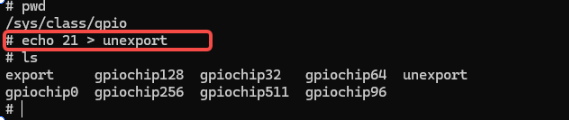
console:/sys/class/gpio# echo 21 > unexportThe above operations require the IO to be multiplexed as GPIO function to perform normal GPIO operations.
2.3 Specific Function Demo
Operate on the board using the above commands, entering the /sys/class/gpio/ directory, and perform the following operations:
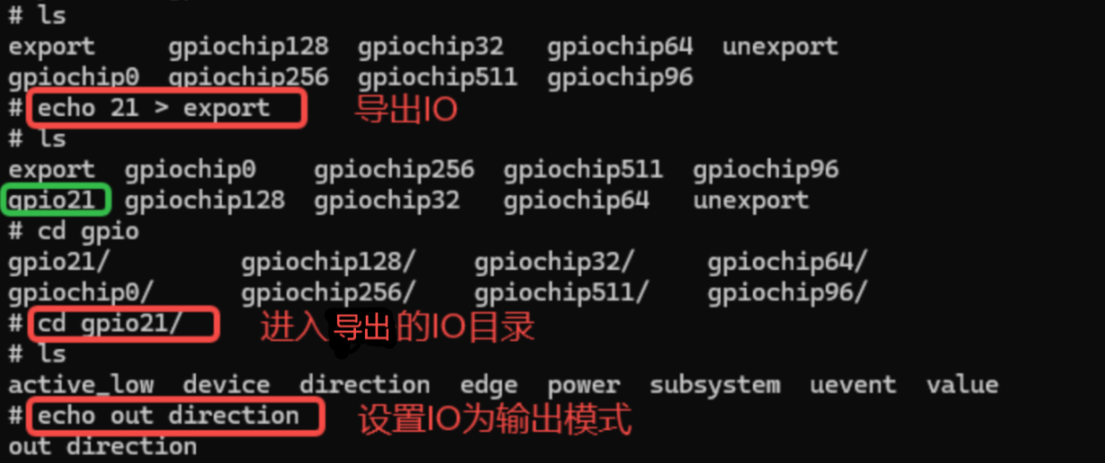
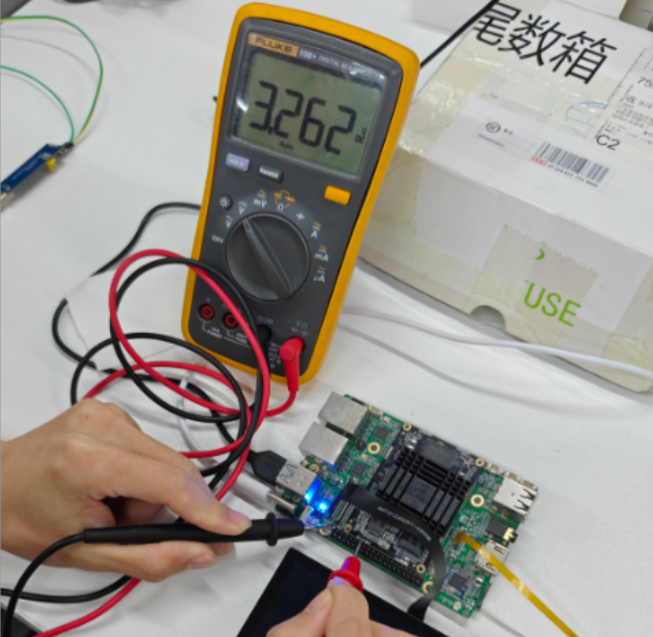
Set IO0_C5 to high-level output:

Use a multimeter to measure the pin; high level is successfully output:
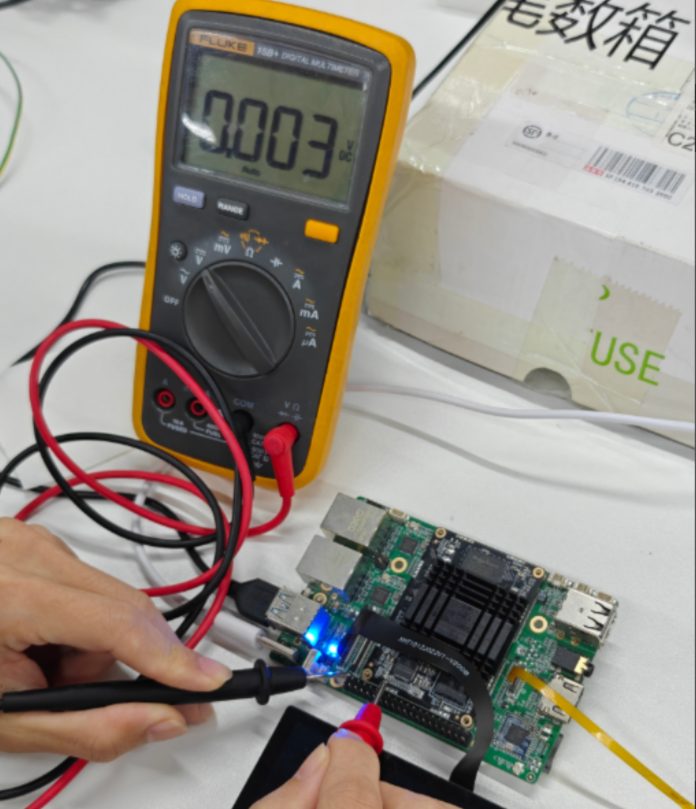
Then set IO0_C5 to low-level output:

Use a multimeter to measure the pin; low level is successfully output:
Return to the upper-level directory and cancel the exported IO:
3 GPIO Usage — NAPI Method
Materials Path
hap package: \05-Development Materials\01-OpenHarmory Development Materials\Peripheral Test APP\HAP\GPIO_TEST.hap
Project source code: \05-Development Materials\01-OpenHarmory Development Materials\Peripheral Test APP\SRC\GPIO_TEST
See NAPI Development Hands-on Demo for details.