
Applications
Our cameras are HVS hybrid vision — one chip outputs both image (APS) and events (EVS). This page organizes "what HVS is good for" by application area and maps it to our ready-made samples / algorithms / capabilities; items marked "to be confirmed" are directions where HVS has an advantage but we do not yet provide a ready-made sample. For the HVS principle see HVS Hybrid Vision, and for the sample list see Samples Overview.
Capability quick reference
| Application direction | Our ready-made capability | Entry point |
|---|---|---|
| Person / gesture detection | ✓ HumanDetector / HandDetector | Windows Algo SDK |
| Optical flow / motion analysis | ✓ OpticalFlow | Windows Algo SDK |
| Remote monitoring / multi-camera | ✓ EVS Server / Web Window / Time Sync | Networking capabilities |
| Denoising (basic) | ✓ 7 denoise algorithms | Hybrid Vision Algo |
| High-end imaging (interpolation/deblurring/super-res) | To be confirmed | see below |
| Smart driving (HDR/FCW) | To be confirmed | see below |
1. Detection & perception: person / gesture
The natural use of HVS — use EVS "there is movement" for low-power triggering and detection, then use APS for a frame to confirm detail.
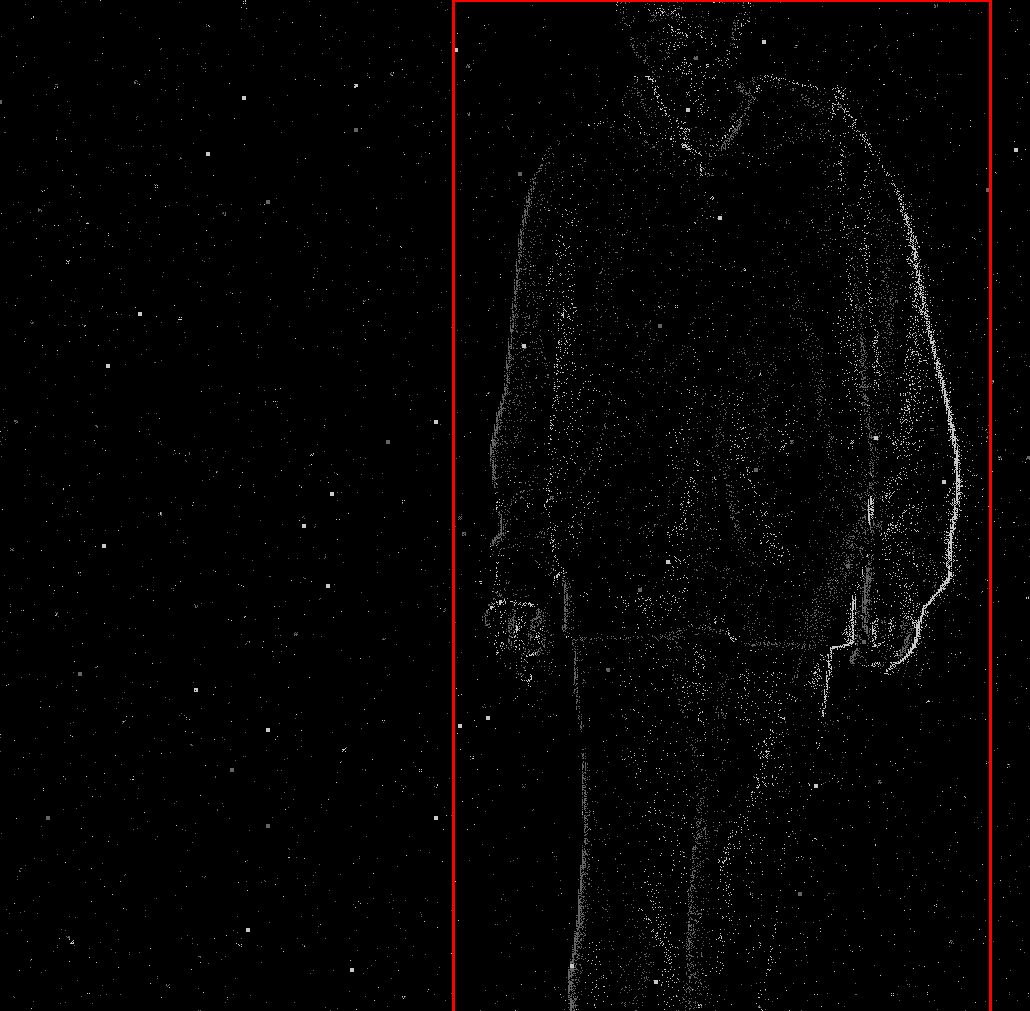
- Person detection:
HumanDetector(EVS input → bounding boxesvector<Rect>). - Gesture detection:
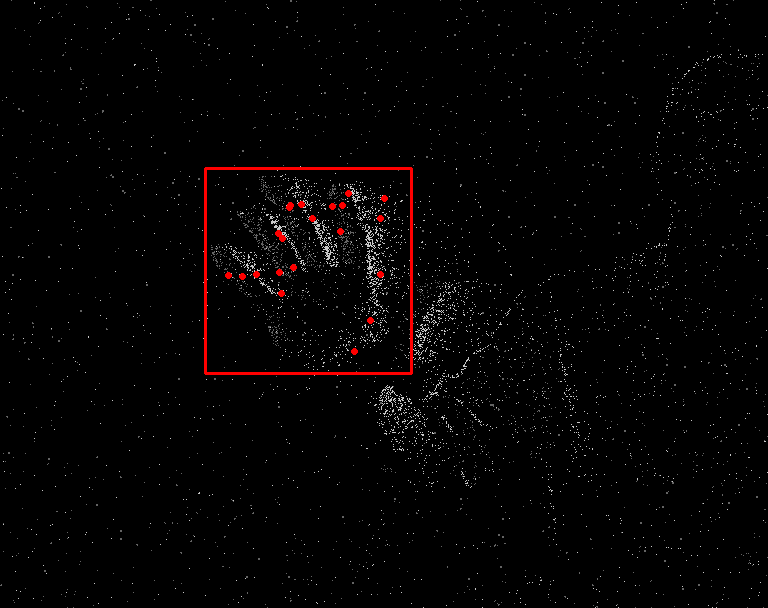
HandDetector(EVS input → bounding boxes + keypointsvector<vector<Point2f>>).
Both are in the Windows Algo SDK and provide pretrained models. Effect illustration (our existing demo):
2. Motion analysis: optical flow
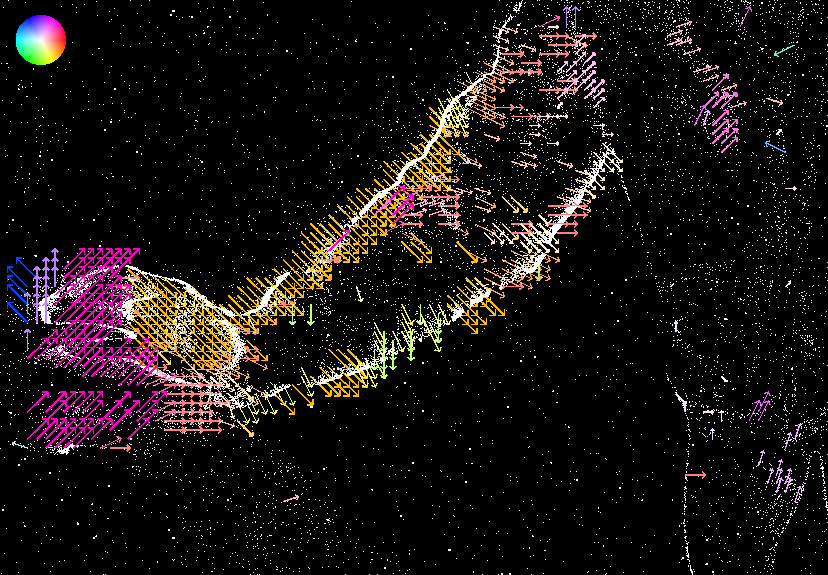
Event cameras have no motion blur, so estimating optical flow between adjacent event frames is fast and accurate. OpticalFlow (Of::run + showOf arrow visualization) outputs a per-pixel (vx, vy) optical-flow field, suited to high-speed motion-direction analysis and SLAM front-ends. See Windows Algo SDK — OpticalFlow.
3. Remote monitoring & multi-device: low-bandwidth streaming
Events are sparse and inherently low-bandwidth, well suited to remote / multi-camera monitoring:
- EVS Network Server: TCP real-time event-stream push (default 8888) → EVS Server
- Web Window: PC / mobile web remote viewing and control → Web Window
- EVS Time Sync: UDP microsecond-level multi-device time sync (default 9999) → Time Sync
HVS advantage: remotely you can both view the event stream (low bandwidth, catches motion) and pull an APS frame on demand to confirm the scene.
4. Denoising: the foundation of every scenario
Event cameras have background activity noise, and almost every application must denoise first. Our Hybrid Vision Algo provides 7 denoise algorithms (double-window / event-flow / Khodamoradi / Yang / time-surface / recursive / MLP), usable alone or chained — see Programming Guide 04 — Event Denoising.
5. High-end imaging & smart driving (HVS-suitable, to be confirmed)
The HVS dual stream has clear theoretical advantages in the directions below, but we do not yet have ready-made samples — they are marked "to be confirmed". When needed, you can implement them yourself based on Toolkit + Algo, or contact R&D:
- High-end imaging: frame interpolation (EVS-SlowMotion slow-motion reconstruction), deblurring, rolling-shutter correction, super-resolution — APS provides sharp frames, EVS fills in high-speed changes.
- Smart driving / high dynamic range: Event HDR (EVS >100dB, no loss under sudden strong light), forward-collision warning (FCW), etc.
How to choose
| What you want to do | Where to start |
|---|---|
| Run the minimum loop | Your First C++ Program |
| Capture image + event dual stream (HVS demo) | Programming Guide 07 — Capture APS Image |
| Person / gesture detection | Windows Algo SDK |
| Optical flow / motion analysis | Windows Algo SDK — OpticalFlow |
| Remote viewing / multi-camera sync | EVS Server / Time Sync |
| Denoise before processing | Programming Guide 04 — Event Denoising |
| Preview without code first | MultiVision Studio |
Further reading
- Why HVS is dual-stream: HVS Hybrid Vision
- All samples: Samples Overview
- Algorithm APIs: Algo API, Toolkit API