
Application Compilation
In the early days, due to insufficient processor chip performance, limited storage space, and insufficient compilation performance, early development boards generally used cross-compilation. Cross-compilation has several disadvantages: it cannot compile offline, the operation is cumbersome, and the environment configuration is complex.
The MB-E30P processor is powerful; compiling programs directly on the development board is fast. Therefore, we recommend using the GCC software integrated on the board for compilation directly, which can save a lot of time on file transfer.
The MB-E30P comes with the GCC compiler. We can use the following command to view the GCC version:
#查看gcc命令
gcc -v

#查看gcc的安装路径
which gcc

#如果没有gcc,下载安装
sudo apt update
sudo apt install gcc -y
As shown in the figure below:
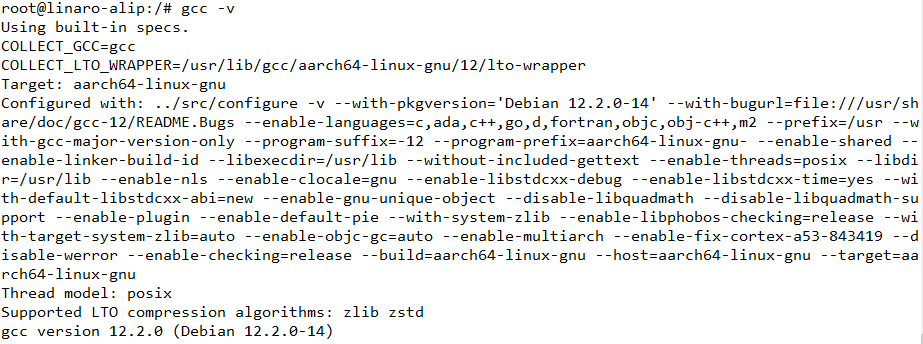
The author uses gcc version 12.2.0. The gcc version number may vary depending on the image and system, but it does not affect compilation.
1 Compiling an Executable File
Code:
#include <stdio.h>

int main(void)
{
        printf("Hello World!\n");
        return 0;
}
Compilation steps:
#使用vi创建hello.c文件
 vi hello.c

 #键盘敲入'i'或'a'进入编辑模式
 #复制代码到vim编辑器里
 #键盘敲入'Esc'键
 #然后敲入":wq" 保存并退出

 #也可以直接把源码下载到板卡上,然后进行编译
 #输入命令编译
 gcc -o hello hello.c

 #执行程序
 ./hello
As shown in the figure below:
