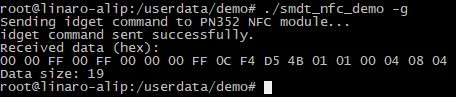
PN532 NFC Card Reading Demo
1 Demo Introduction
This demo describes how to use the PN532 NFC module via the 40-pin Raspberry Pi interface to read the ID of a water-drop card.
2 Module Introduction
The PN532 NFC HAT is an NFC expansion board designed for the Raspberry Pi. It uses the PN532 controller and supports I2C, SPI, and UART communication, adding NFC communication capabilities to the Raspberry Pi.
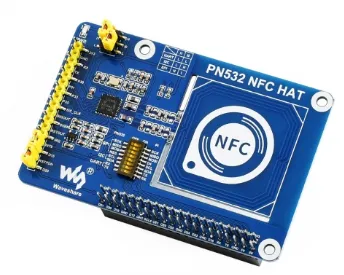
3 Mode Switching
3.1 UART Communication Mode
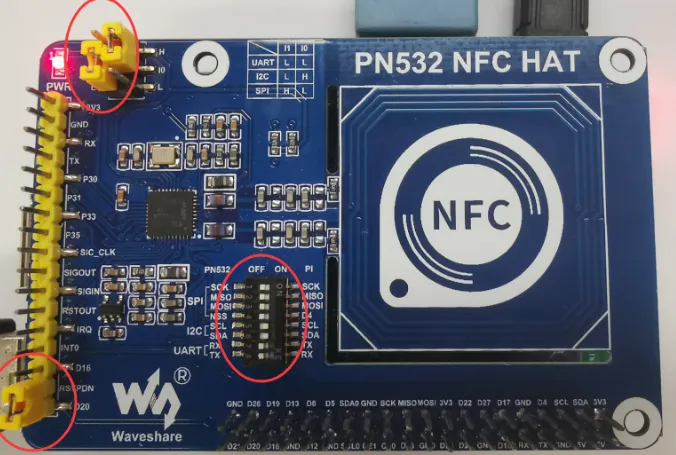
Use a jumper cap to set I0 to L and l1 to L. Use a jumper cap to connect RSTPDN -> D20. Set the DIP switch as shown.

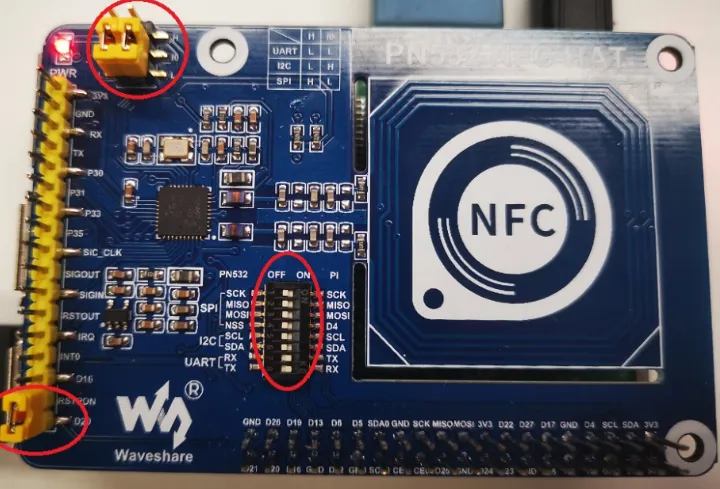
3.2 SPI Communication Mode
Use a jumper cap to set I0 to L and l1 to H. Use a jumper cap to connect RSTPDN -> D20. Set the DIP switch as shown.

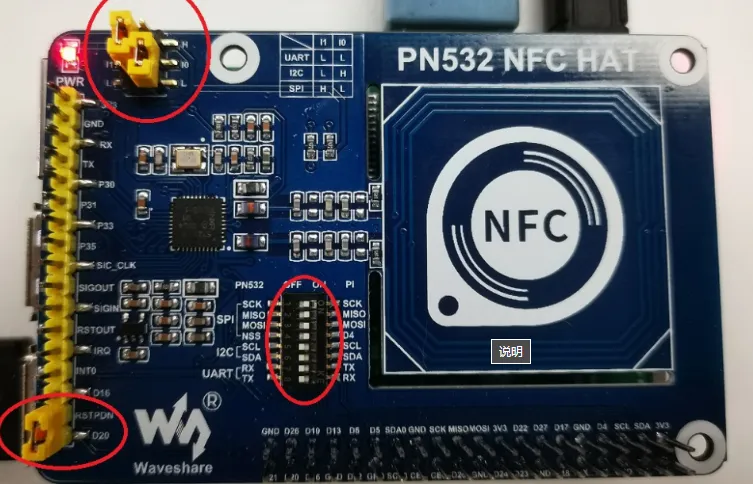
3.3 I2C Communication Mode
Use a jumper cap to set I0 to H and l1 to L. Use a jumper cap to connect RSTPDN -> D20, and connect INT0 -> D16 (to avoid Clock Stretching). Set the DIP switch as shown.

4 Procedure
4.1 UART Communication Mode
Open a terminal and copy the executable smdt_nfc_demo from the bin directory of this demo (05-开发资料\软件开发资料\linux_demo\smdt_nfc_demo\bin) to the development board's filesystem (the source code can be found in the src directory).
In the terminal, run the following commands to switch to the directory containing the smdt_nfc_demo executable.
#切换到 smdt_nfc_demo  可执行程序所在目录
cd ‘可执行文件所在目录’

#查看 smdt_nfc_demo  是否在该目录下
ls
If the executable smdt_nfc_demo is in the current directory, modify the executable's permissions.
#添加可执行权限
chmod +x smdt_nfc_demo

#查询是否修改成功
ls -ld smdt_nfc_demo
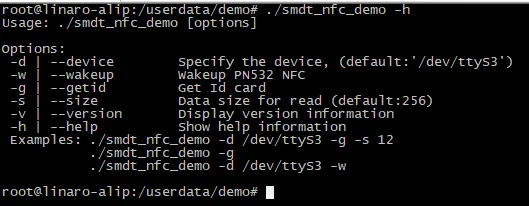
After confirming that the file permissions have been successfully modified, run ./smdt_nfc_demo -h to view the program's help information. Some default parameters set in this test script are as follows: device: /dev/ttyS3, i.e., UART3
#查看帮助信息
./smdt_nfc_demo -h
The execution result is shown in the figure below:
Enter the following commands to switch modes.
#PN532 NFC唤醒模式
./smdt_nfc_demo -w

#RPN532 读卡ID模式
./smdt_nfc_demo -r
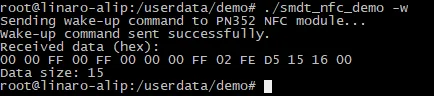
Run ./smdt_nfc_demo -w to enter the PN532 NFC module wake-up mode and receive the wake-up response frame. The execution result is as follows:
Press Ctrl+Z to force exit this mode.
Run ./smdt_nfc_demo -r to enter the PN532 NFC module card-reading mode. Once a card ID is read, the corresponding response frame for the card ID will be displayed in the terminal. The execution result is as follows:
Press Ctrl+Z to force exit this mode.