
ARM64 Cross-Compiler Environment Setup
Demo Introduction
QT executable files compiled on a PC are x86-architecture and cannot run on an ARM-architecture development board. You need to set up a cross-compilation environment on the PC to compile ARM-architecture executable files.
PC environment:
PC system: Ubuntu 20.04 (x86_64 architecture) (both the VMware and Ubuntu image files are in the 05-开发资料\03-QT开发资料 directory)
Qt version: Qt 5.12.9 (GCC 9.4.0, 64bit)
Cross-compiler: aarch64-linux-gnu-gcc (Ubuntu 9.4.0-1ubuntu1~20.04.2) 9.4.0
Cross Compilation
First, install the cross-compiler on Ubuntu.
sudo apt install gcc-aarch64-linux-gnu g++-aarch64-linux-gnu
#查看是否安装,版本号--9.4.0
aarch64-linux-gnu-gcc --version
Copy the qt-everywhere-src-5.12.9.tar archive from the 05-开发资料\03-QT开发资料 directory to the Ubuntu home directory and extract it.
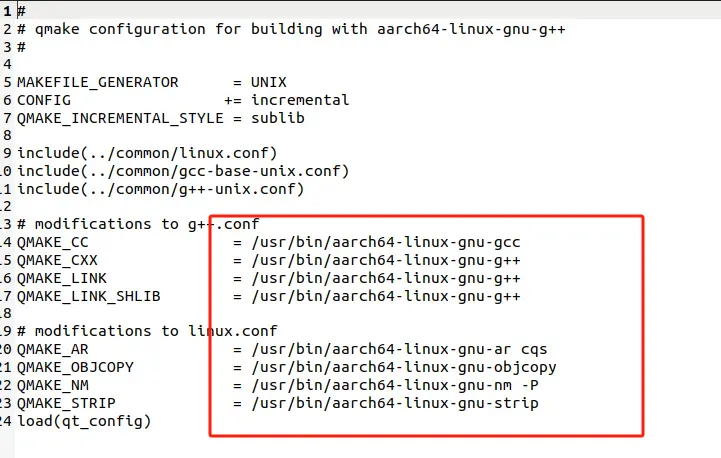
tar -xvf qt-everywhere-src-5.12.9.tarOpen qt-everywhere-src-5.12.8/qtbase/mkspecs/linux-aarch64-gnu-g++/qmake.conf and change the compiler path in the red box to the path of the compiler just downloaded (sudo apt install gcc-aarch64-linux-gnu). When installed via the command, the path is usually under /usr/bin. Save after modification.
Right-click in the home directory and create two new directories: "Qt-5.12.9-build" and "Qt-5.12.9-arm64".
Enter the Qt-5.12.9-build directory and run the following command to generate the Makefile.
./../qt-everywhere-src-5.12.9/configure -prefix /home/ubuntu/Qt-5.12.9-arm64 -make libs -xplatform linux-aarch64-gnu-g++ -skip qtdeclarative -no-opengl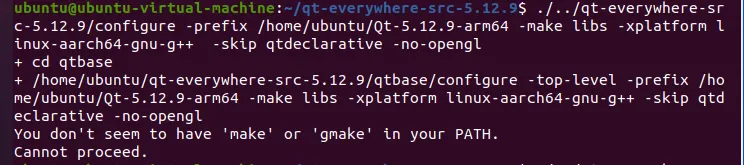
If the error shown in the figure above appears, run the following commands.
sudo apt update
sudo apt install build-essential
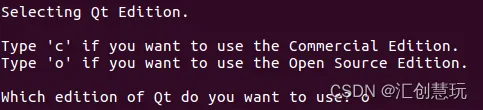
During the process, there will be two prompts; enter "o" and "y" respectively. After completion, you can see that a Makefile has been generated in this directory.
Continue to run the following command in the Qt-5.12.9-build directory to start compilation, which takes about 10 minutes.
make -j4 2>&1 | tee build.logAfter compilation finishes, continue to run the following command in the Qt-5.12.9-build directory.
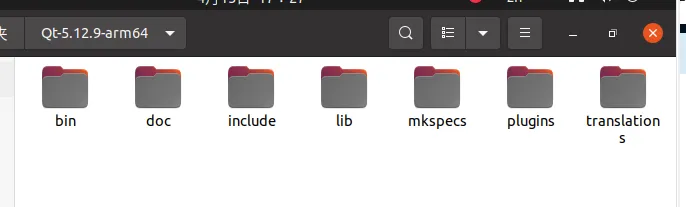
make installAfter it finishes, open the Qt-5.12.9-arm64 directory; qmake is in the bin subdirectory.
Install and Configure the Environment
Copy the qt-opensource-linux-x64-5.12.9.run file from the 05-开发资料\03-QT开发资料 directory to the Ubuntu home directory. In the terminal, enter the home directory and run the following command to launch the installation interface.
chmod +x qt-opensource-linux-x64-5.12.9.run
./ qt-opensource-linux-x64-5.12.9.run
If an account login is required, you can disconnect from the network and exit, then re-run the above command to install without logging in. Enter the installation directory and select the installation configuration as needed.

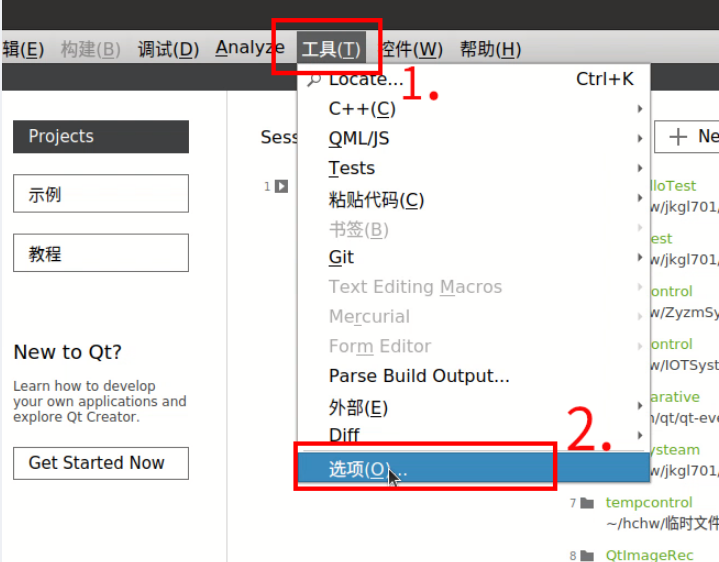
After installation, open QT and follow these steps to configure the environment.
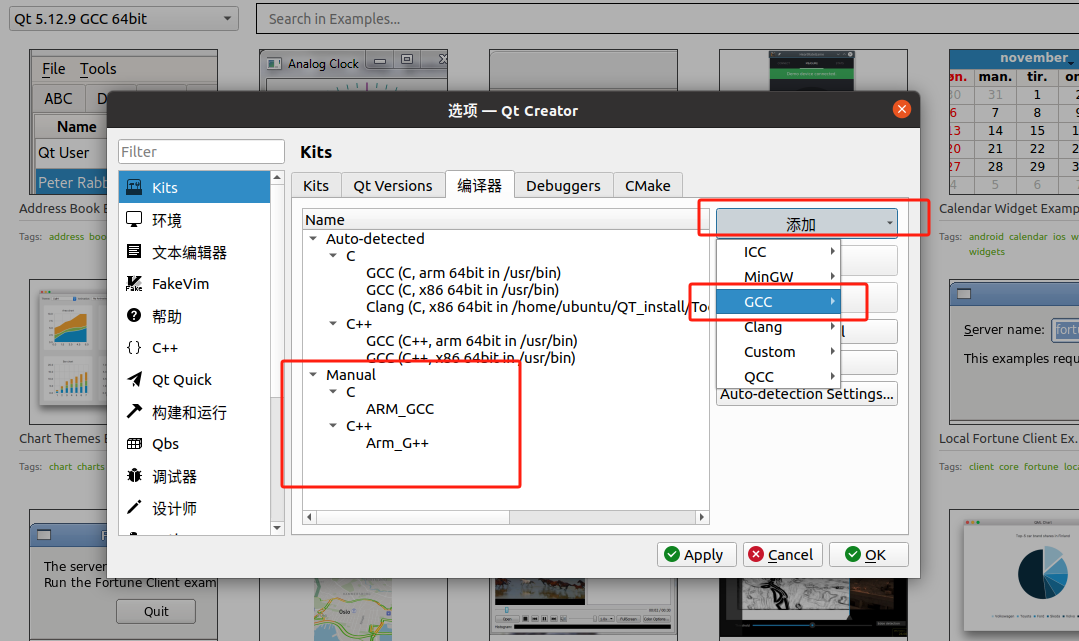
Click Add GCC-C/GCC-C++, and add the aarch64-linux-gnu-gcc and aarch64-linu-gnu-g++ of the cross-compilation tool you just downloaded. Tools downloaded with sudo are usually under /usr/bin.
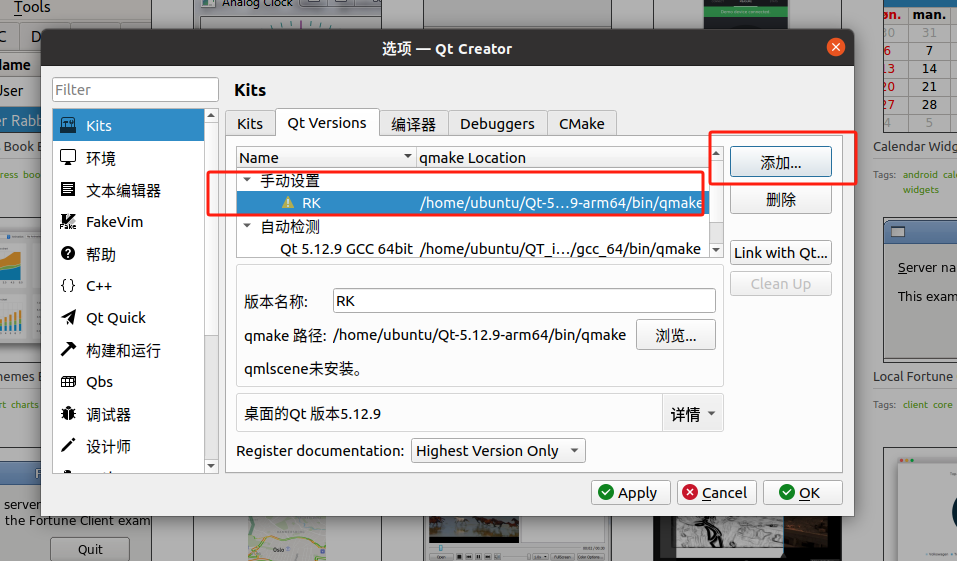
Click QT-Version, click Add, and add the qmake file you just compiled (inside bin). Give it a version name. Warnings can be ignored.
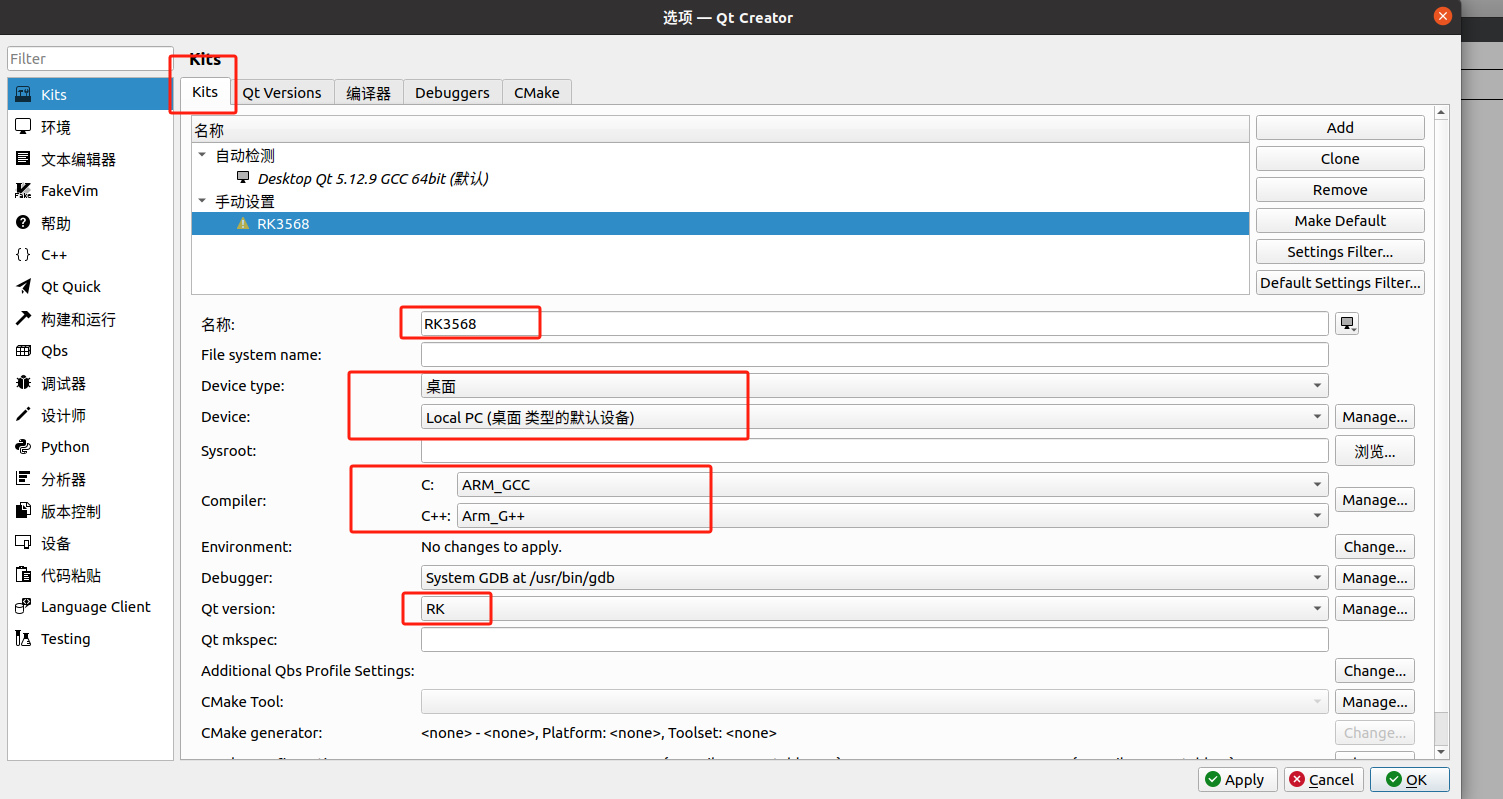
Click Kit. The name can be arbitrary. For C and C++, select the compiler you just added; for QT version, select the QT version added in the previous step.
Create a new project and select the configured compilation environment.
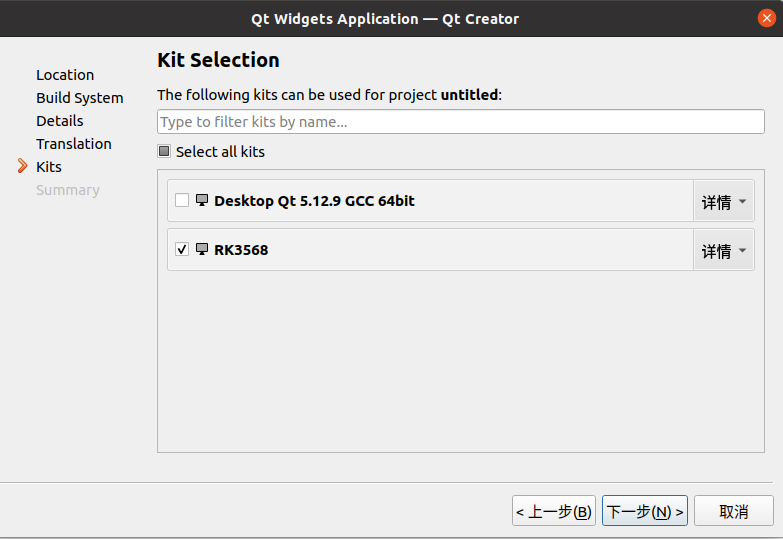
Compile the project to obtain an ARM-architecture executable file. The QT environment has already been deployed on the RK3568. You can directly copy the executable to the development board, modify its permissions, and run it in the terminal. You can also open it by double-clicking with the mouse.