
Terminal
The Terminal tab is the SSH terminal built into Workbench. It connects directly to the Pico-G1 board and supports multiple parallel tabs plus a quick reference of common commands.
What it does
The Terminal tab embeds an SSH client into the IDE, so you can work directly in Workbench:
- Connect to one or more boards in parallel with multiple tabs
- Log in with the
shimetaduser (passwordless by default) orroot - Run arbitrary shell commands, transfer files, and run SVP/XMM inference
- Complements the shimeta-py IDE: the terminal runs commands, the IDE writes Python scripts
Where to find it
Top tab → "Terminal"
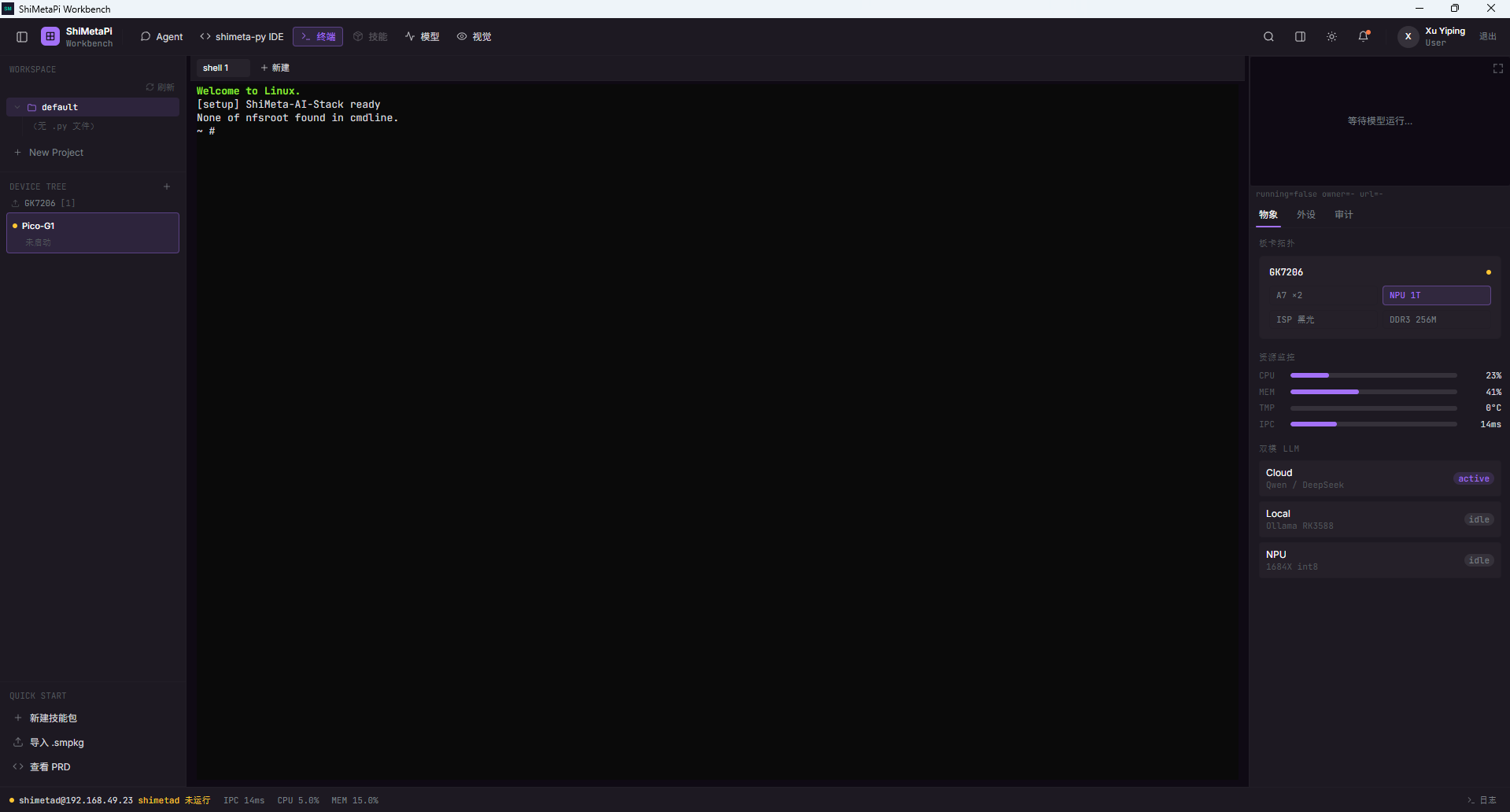
Multi-tab support
Top tab list
shell 1 + NewEach tab is an independent SSH session:
- shell 1: the first SSH session
- + New: create a new tab
- Click a tab name to switch sessions
Each tab can connect to a different board or a different user.
SSH connection
Default user
The terminal connects to the board as the shimetad user by default (no password needed):
ssh shimetad@192.168.49.10Switching to root
When you need higher privileges:
ssh root@192.168.49.10
# Password: 123456
Status display
After the terminal starts, it prints:
Welcome to Linux.
None of nfsroot found in cmdline.
~ #
Common commands
Board information
# System info
uname -a
cat /etc/issue

# CPU / memory
top -bn1 | head -20
free -m

# Storage
df -h
ls /mnt

# NPU
ls /dev/npu.0
Model inference
# Start SVP scene detection
. /mnt/setup.sh
shimeta-svp person

# Custom model inference
shimeta-xmm /mnt/models/xmm/<model>.xmm.zip
File transfer
# From PC to board
scp <local_file> shimetad@192.168.49.10:/mnt/

# From board to PC
scp shimetad@192.168.49.10:/mnt/<remote_file> ./
shimeta-svp quick reference: 9 scene commands
| Command | Detection |
|---|---|
shimeta-svp person | Person |
shimeta-svp face | Face |
shimeta-svp car | Vehicle |
shimeta-svp bike | Non-motorized vehicle |
shimeta-svp face_emo | Facial emotion |
shimeta-svp dms | Driver monitoring |
shimeta-svp head | Head count |
shimeta-svp fire | Fire / smoke |
shimeta-svp person_kp | Human keypoints |
See ch05 Vision - SVP for details.
Common shortcuts
| Shortcut | Purpose |
|---|---|
Ctrl+C | Interrupt the current command |
Ctrl+D | Exit the current SSH session |
Ctrl+L | Clear the screen |
↑ / ↓ | Browse command history |
Tab | Auto-complete commands/paths |
Terminal vs. shimeta-py IDE
| Item | Terminal tab | shimeta-py IDE |
|---|---|---|
| Form | Pure command line | Code editor + command line |
| Purpose | Run commands manually | Edit and run Python scripts |
| Friendliness | ❌ Requires memorizing commands | ✅ Syntax highlighting + samples |
The two complement each other:
- Terminal: quick debugging, one-off commands
- shimeta-py IDE: editing complex Python scripts
Troubleshooting
| Symptom | Fix |
|---|---|
| Terminal unresponsive after startup | Board not connected; go back to ch02 |
| Command produces no output | Check the command |
| SSH connection fails | Wrong IP / on-board SSH service not running |
| Garbled characters | Terminal encoding setting; use export LANG=en_US.UTF-8 |
Next
- ch07 shimeta-py IDE: edit Python scripts
- ch05 Vision - SVP: 9 scene-based detections
- ch09 Agent: let Claude Code run commands for you