
I2C Communication
I2C Subsystem
I2C is a synchronous, half-duplex, serial peripheral communication interface consisting of two lines: SCL and SDA. It uses a most-significant-bit-first (MSB First) transfer order (SPI can be MSB-first or LSB-first), and the transfer speed depends on the SCL frequency. In the Linux operating system, the I2C subsystem is the core framework within the kernel for managing I2C bus controllers (adapters), I2C devices (clients), and drivers. It is responsible for registration, matching, communication, and unified management of I2C devices. Developers can find detailed design notes and API documentation for the I2C subsystem at <Linux kernel source>/Documentation/i2c.
The I2C subsystem is mainly composed of the following parts:
- sysfs interface
The Linux I2C subsystem exposes device information and configuration interfaces to user space through the sysfs file system. The /sys/bus/i2c/devices directory displays the registered I2C adapters and attached I2C devices in the system, including device addresses, driver binding relationships, and running status. Users can read from or write to related sysfs nodes to query device information, bind or unbind drivers, and manage devices.
- I2C character device node
The Linux kernel usually creates device nodes under /dev, such as /dev/i2c-0 and /dev/i2c-3, corresponding to different I2C adapters. These character device nodes provide a standard access interface for user-space programs. Applications can communicate with slave devices on a specific I2C bus through system calls such as open(), ioctl(), read(), and write() to read and write registers, configure devices, and exchange data.
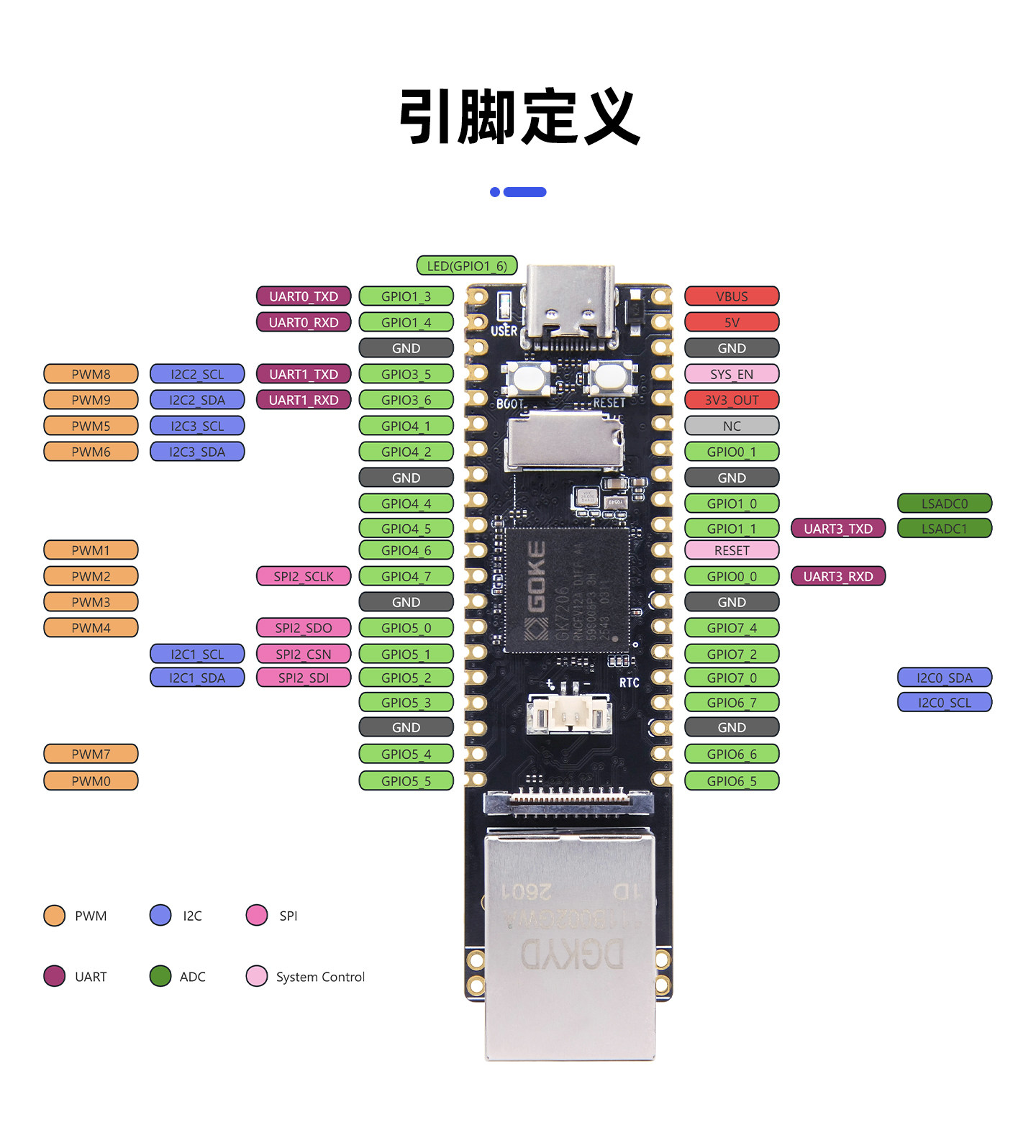
Tip
The I2C speed can be adjusted by modifying the clock-frequency property of the i2c_bus0 node in the DTS. After modification, recompile the kernel and flash it.
sysfs Interface
Detect the I2C Bus
# List available I2C buses in the system
ls /dev/i2c-*
Expected output:
/dev/i2c-0 /dev/i2c-1 /dev/i2c-2 /dev/i2c-3# View the I2C controller
cat /sys/class/i2c-adapter/i2c-0/nameExpected output:
lotus-i2cInstall i2c-tools
Scan Devices on the Bus (i2cdetect)
dmesg -n 2
# Scan all devices on I2C bus 1 (address range 0x03 ~ 0x77)
i2cdetect -y 1
Expected output:
i2cdetect: warning: can't use SMBus quick write command, will skip some addresses
     0  1  2  3  4  5  6  7  8  9  a  b  c  d  e  f
00:
10:
20:
30: 30 -- -- -- -- -- -- --
40:
50: -- -- -- -- -- -- -- -- -- -- -- -- -- -- -- --
60:
70:
Tip
In the output, UU indicates the address is occupied by a kernel driver, -- indicates no device detected, and a hex value is a detected device address (for example 30 is the device at address 0x30).
Read a Register (i2cget)
# Read register 0x00 (1 byte) of the device at 0x30 on bus 1
i2cget -y 1 0x30 0x00
# Read register 0x00 (2 bytes, word mode) of the device at 0x30 on bus 1
i2cget -y 1 0x30 0x00 wWrite a Register (i2cset)
# Write 0xaa to register 0x10 of the device at 0x30 on bus 1
i2cset -y 1 0x30 0x10 0xaa
# Verify the write result
i2cget -y 1 0x30 0x10Bulk Read Registers (i2cdump)
# Read 256 bytes from the device at 0x30 on bus 1
i2cdump -y 1 0x30