
Samples Overview
All sample programs are based on the v2.0 Hybrid Vision Toolkit (capture) and Hybrid Vision Algo (algorithms) SDKs. Toolkit samples live under samples/cpp/; the three backends (USB / MIPI / Ethernet) share the same API.
First time developing for an event camera?
Start with Your First C++ Program to get the minimal loop running, then go deeper item by item with the Programming Guides (open camera → read events → record → denoise → display → tune).
Toolkit samples (C++)
| Sample | Purpose | APIs involved | Hardware | Build path |
|---|---|---|---|---|
get_started | Minimal Camera flow (Init→StartStream→GetFrame→StopStream→Destroy) | Camera / DeviceConfig | Yes | samples/cpp/get_started |
callback | Dual-callback demo (events + APS) | SetEventCallback / SetImageCallback | Yes | samples/cpp/callback |
record | Record events to a RAW file | EventWriter / HybridWriter | Yes | samples/cpp/record |
viewer | Capture, decode, and count events in real time | Camera / Evt2Decoder | Yes | samples/cpp/viewer |
bench_hw | On-hardware USB timing benchmark | Camera (USB) | Yes | samples/cpp/bench_hw |
live_record_display | MIPI-HVS live preview + key-triggered recording | Camera (MipiHvs) / HybridWriter | Yes (MIPI) | samples/cpp/live_record_display |
player | Offline replay of recorded files (EVS .raw + APS .avi) | HybridReader / MipiRaw8Decoder | No (offline) | samples/cpp/player |
First run ./run.sh build, ./run.sh build s100, or ./run.sh build x5 at the Toolkit repo root. For S100/X5, deploy the whole corresponding out/<arch>/build to /app/build on the board before running the commands below.
get_started
# x86_64 (USB)
./out/x86_64/build/samples/cpp/get_started/hv_sample_get_started

# S100 (MIPI)
/app/build/samples/cpp/get_started/hv_sample_get_started --mipi

# X5 (MIPI)
/app/build/samples/cpp/get_started/hv_sample_get_started --mipi
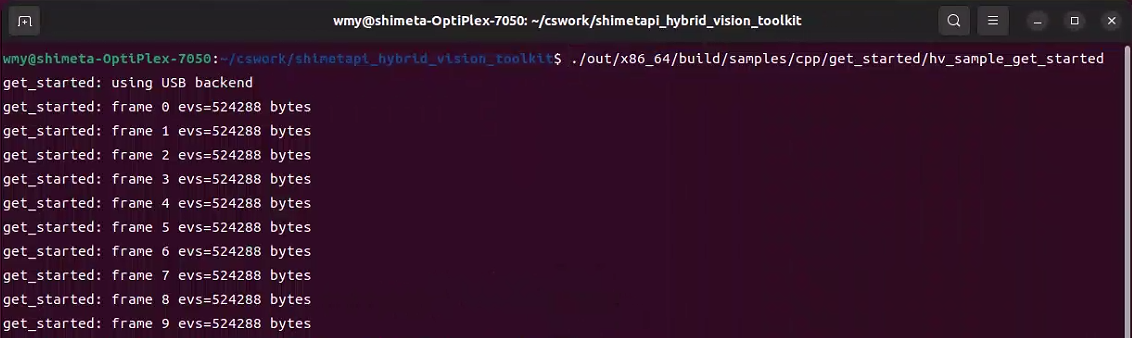
Minimal synchronous-capture sample: after initializing the camera it reads 10 frames and prints the event byte counts. On x86_64 it connects to a USB camera by default; on S100/X5, --mipi uses the default sensor index written at build time (9 on S100, 49 on X5).
x86_64:
callback
# x86_64 (USB)
./out/x86_64/build/samples/cpp/callback/hv_sample_callback

# S100 (MIPI-HVS dual VC)
/app/build/samples/cpp/callback/hv_sample_callback --mipi-hvs

# X5 (MIPI-HVS dual VC)
/app/build/samples/cpp/callback/hv_sample_callback --mipi-hvs
Registers async callbacks for events and APS images, captures for 2 seconds, then prints the counts from both callback types. On ARM boards, --mipi-hvs fetches EVS and APS together; if only an EVS single-VC camera is connected, use --mipi instead.
x86_64:

record
# x86_64 (USB)
./out/x86_64/build/samples/cpp/record/hv_sample_record

# S100 (MIPI-HVS dual VC)
/app/build/samples/cpp/record/hv_sample_record --mipi-hvs

# X5 (MIPI-HVS dual VC)
/app/build/samples/cpp/record/hv_sample_record --mipi-hvs
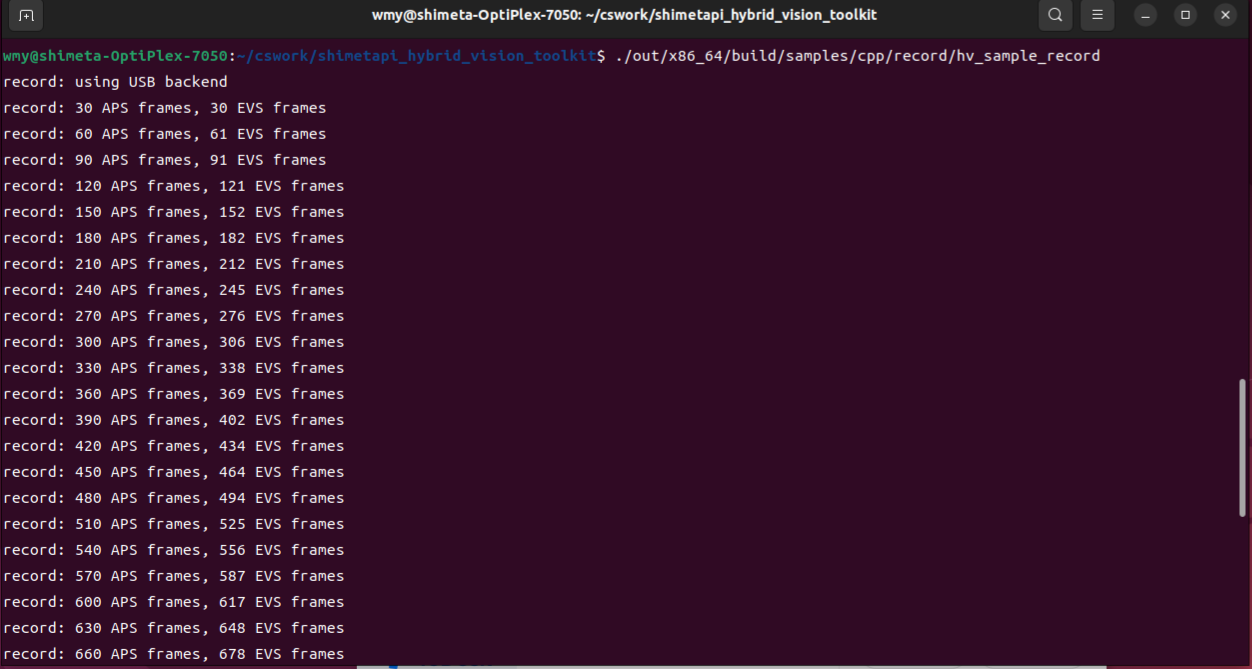
Writes the captured EVS and APS to /tmp/hv_record.raw and /tmp/hv_record.avi, recording 3 seconds by default. Append --duration <seconds> to change the duration; on single-VC ARM cameras, --mipi writes EVS data only.
x86_64:
viewer
# x86_64 (USB)
./out/x86_64/build/samples/cpp/viewer/hv_sample_viewer

# S100 (MIPI)
/app/build/samples/cpp/viewer/hv_sample_viewer --mipi

# X5 (MIPI)
/app/build/samples/cpp/viewer/hv_sample_viewer --mipi
Reads and decodes 10 frames of event data in real time, then prints the total event count. USB data is decoded as EVT2; the MIPI RAW8 data on S100/X5 is handled by the corresponding decoder selected via --mipi.
x86_64:

bench_hw
# x86_64 (USB, 5-second test by default)
./out/x86_64/build/samples/cpp/bench_hw/hv_sample_bench_hw

# S100
# Not supported: bench_hw is fixed to the USB backend.

# X5
# Not supported: bench_hw is fixed to the USB backend.
On-hardware USB throughput benchmark, measuring the event throughput rate and the APS frame rate. You can pass VID PID duration, e.g. hv_sample_bench_hw 0x1d6b 0x0105 10; S100/X5 have no USB backend and cannot run this sample.
x86_64:

live_record_display
# x86_64
# Not supported: live_record_display is fixed to the MIPI-HVS backend.

# S100 (MIPI-HVS dual VC)
/app/build/samples/cpp/live_record_display/hv_sample_live_record_display

# X5 (MIPI-HVS dual VC)
/app/build/samples/cpp/live_record_display/hv_sample_live_record_display
Displays the EVS and APS streams in real time; press r to start/stop recording, q or ESC to quit. Append --no-display when there is no monitor; use --evs-prefix and --aps-prefix to set the recording file prefixes.
player
# x86_64
./out/x86_64/build/samples/cpp/player/hv_sample_player events.raw video.avi

# S100
/app/build/samples/cpp/player/hv_sample_player events.raw video.avi

# X5
/app/build/samples/cpp/player/hv_sample_player events.raw video.avi
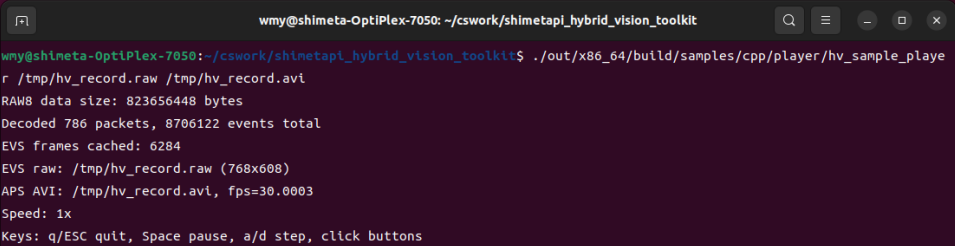
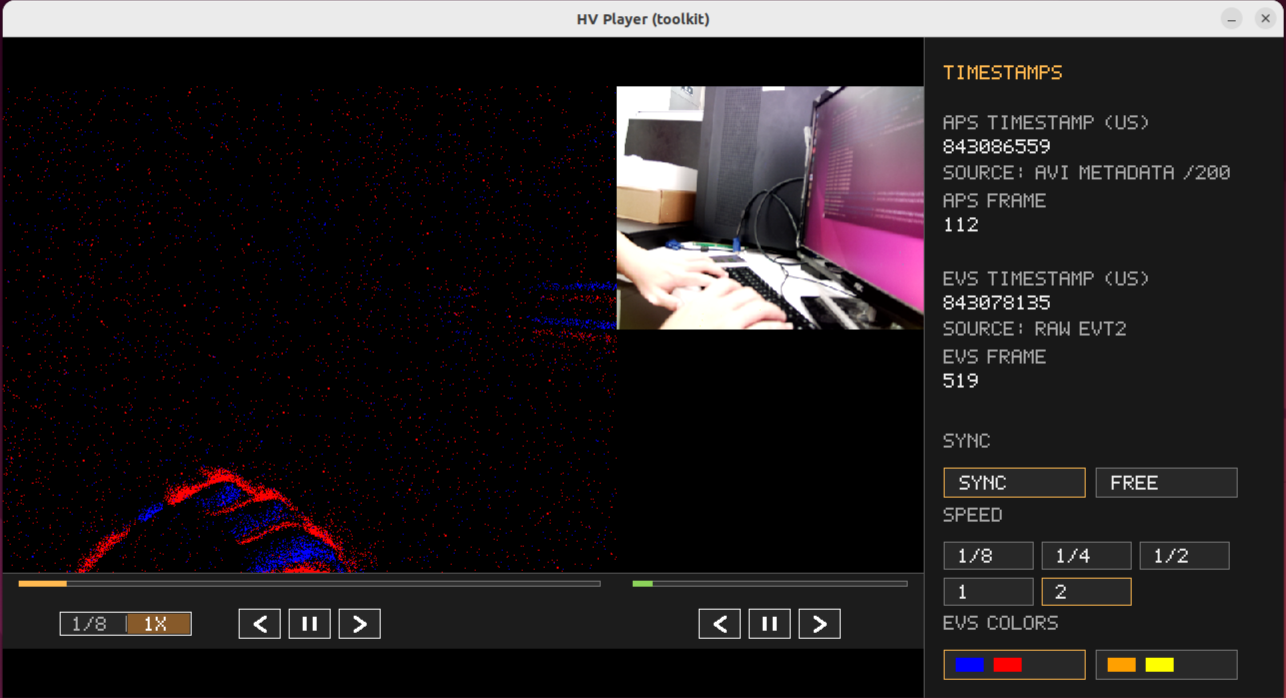
Offline synchronized replay of the EVS .raw and APS .avi files produced by record or live_record_display. You can append fps and speed after the file names, e.g. events.raw video.avi 60 2.0; on ARM platforms the OpenCV runtime requirement below must be met first.
x86_64:
On S100/X5,
playerandlive_record_displayalso need the OpenCV runtime fromthird_party/aarch64_opencv/lib/aarch64-linux-gnudeployed and added toLD_LIBRARY_PATH.
Toolkit samples (Python)
Python samples live under samples/python/ and use the same hv_toolkit API as C++. When you build the Python bindings (./run.sh --python build ...), they are copied to build/samples/python/ (out/s100/build/samples/python/ on S100) and can be scp'd straight onto the board to run.
| Sample | Purpose | APIs involved | Hardware | Platforms |
|---|---|---|---|---|
get_started.py | Minimal USB capture (init→get_frame→decode) | Camera / DeviceConfig / Evt2Decoder | Yes | x86_64 (USB) |
get_started_mipi.py | Minimal MIPI HVS capture (supports -s/-i/-n/-c options) | Camera (MipiHvs) / MipiRaw8Decoder | Yes (MIPI) | S100 / RK3588 |
record.py | Encodes synthetic events with Evt3Encoder and writes a RAW file (no camera) | Evt3Encoder / EventCD | No | All platforms |
viewer.py | Evt3 encode/decode round trip (encode→decode→count) | Evt3Encoder / Evt3Decoder | No | All platforms |
callback.py | Event / image counting demo (synchronous polling) | Camera / get_frame | Yes | x86_64 (USB default) |
The Python bindings do not yet export async callbacks (
set_event_callbacketc.), socallback.pydemonstrates the equivalent counting pattern with synchronousget_framepolling; for true async callbacks use the C++callbacksample.Without a camera,
record.py/viewer.pyrun directly (verifying the aarch64 codec round trip); once a MIPI camera is connected, runget_started_mipi.pyto verify live capture. For the full Python interface see the Python API; for board deployment see Your First Python Program → S100 board deployment.
Algo samples (denoising / detection)
| Sample | Purpose | Algorithm | Hardware | Details |
|---|---|---|---|---|
dwf_denoising | Double-window filter denoising | DoubleWindowFilter | No (reads raw) | algo |
event_flow_denoising | Event-flow filter denoising | EventFlowFilter | No | algo |
khodamoradi_denoising | Spatiotemporal neighborhood denoising | KhodamoradiDenoiser | No | algo |
mlpf_denoising | MLP deep-learning denoising (needs PyTorch) | MultiLayerPerceptronFilter | No | algo |
re_denoising | Recursive event denoising | ReclusiveEventDenoisor | No | algo |
ts_denoising | Time-surface denoising | TimeSurfaceDenoisor | No | algo |
y_denoising | Yang spatiotemporal-density denoising | YangNoiseFilter | No | algo |
| OpticalFlow | EVS optical-flow visualization | Of | No (reads raw) | windows-algo-sdk |
| HandDetector | Hand detection + keypoints | HandDetector | No | windows-algo-sdk |
| HumanDetector | Human detection | HumanDetector | No | windows-algo-sdk |
How to choose a sample
- Getting started:
get_started(minimal loop) →callback(dual callbacks) →record(recording) →viewer(replay) - Live preview + recording:
live_record_displayon MIPI;playerfor offline replay - Performance benchmark:
bench_hwon real USB hardware - Denoising: start from
dwf_denoising(classic, low compute); tryevent_flow_denoisingfor motion scenes; trymlpf_denoisingfor high accuracy (needs PyTorch). For algorithm comparisons see Hybrid Vision Algo - No camera: all samples marked "No" work with the sample recordings
What problem does each algorithm solve
An event camera's raw output is sparse asynchronous event points; applications usually need "denoise → feature/motion analysis → recognition" steps to make use of them. Below is where the SDK's main algorithms fit.
Denoise
Even in a static scene, an event camera keeps producing a small amount of "background activity noise", mixed in with real motion events. Denoising algorithms decide whether each event is real signal or noise.
- Input: an event
(x, y, t, polarity)plus the event history in its spatiotemporal neighborhood. - What the algorithm does: based on the prior that real motion produces event clusters in space and time, it counts events/density/flow in the neighborhood and discards isolated events as noise.
- Output: a boolean decision (keep/drop), or the filtered event sequence.
The 7 denoising algorithms differ mainly in neighborhood metric and decision rule: double-window filtering classifies with two time windows; event-flow filtering uses flow-speed features; Khodamoradi / recursive / time-surface use spatiotemporal neighborhoods; MLP uses a neural network; Yang uses spatiotemporal density. For selection advice see Hybrid Vision Algo.
Optical Flow
- Input: stacked EVS frames (frames accumulated from events).
- What the algorithm does: estimates each pixel's motion direction and speed (optical-flow vectors) between adjacent event frames.
- Output: a per-pixel
(vx, vy)flow field, visualizable with arrows.
Optical flow suits high-speed motion analysis and motion-direction detection.
Hand / Human Detector
- Input: EVS event images.
- What the algorithm does: deep-learning detectors trained on event streams; they locate targets and output bounding boxes (human) or bounding boxes + keypoints (hand).
- Output: a list of detection boxes
vector<Rect>; the hand detector additionally outputs keypointsvector<vector<Point2f>>.
Suited to gesture recognition, people monitoring, etc. The Windows Algo SDK currently provides pretrained models; for model replacement and training see the Windows Algo SDK.