Download Source Code
Method 1: After the Ubuntu environment is set up, start downloading the source code from Gitee (register a Gitee account)
1. Configure git
    git config --global user.name "XXXXXXX"     #填写自己的用户名称
    git config --global user.email "XXXXXX"     #填写自己的邮箱
    git config --global credential.helper store
    git config --list  #查看git配置是否无误
2. Generate/Add the SSH Public Key
	ssh-keygen -t rsa -C "xxxxx@xxxxx.com"
    cat ~/.ssh/id_ rsa.pub
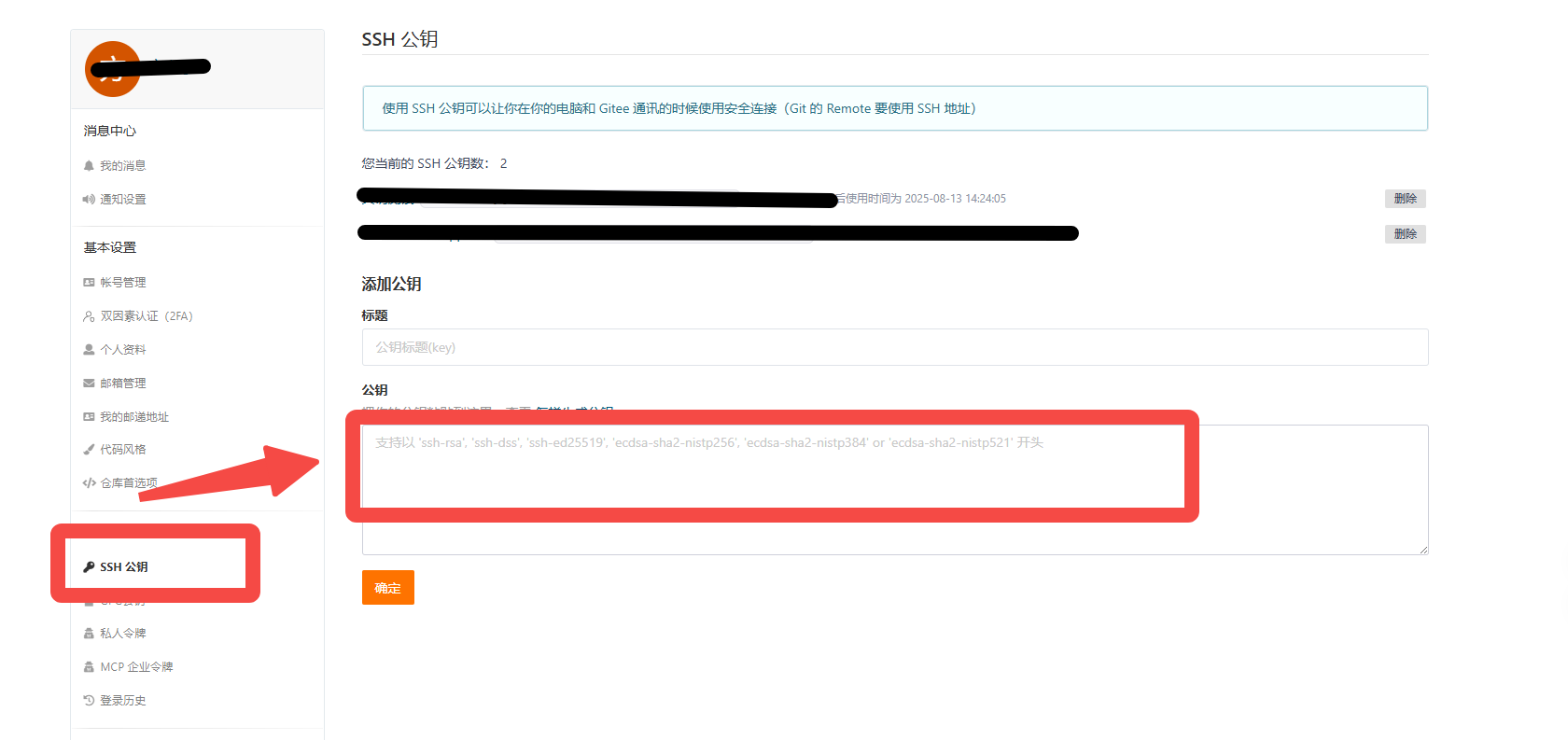
3. Add the Public Key Generated in Step 2 to the Personal Settings on the Gitee Official Website
4. Install the Gitee repo Tool
    sudo -i #切换到root
	curl https://gitee.com/oschina/repo/raw/fork_flow/repo-py3 > /usr/local/bin/repo
    chmod a+x /usr/local/bin/repo        #设置repo文件 a+x就是全部用户可执行
    exit # 切换回原来的用户
    sudo vim /usr/local/bin/repo  # 进入文件编辑界面,然后将第一行的python改成python3
    pip3 install -i https://pypi.tuna.tsinghua.edu.cn/simple requests
5. Source Code Acquisition
    repo init -u https://gitee.com/robots778/manifest -b refs/tags/OpenHarmony-v5.0.0-Release_3568HA --no-repo-verify
    repo sync -c
    repo forall -c 'git lfs pull'
Method 2: Use the Source Code in the Materials Package Directly
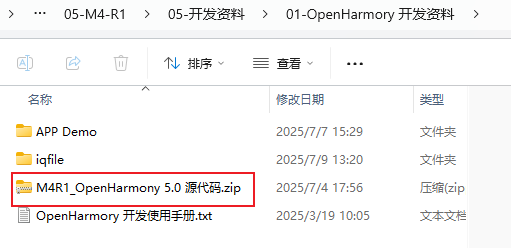
Open the materials package, then go to the following path, and follow the instructions to copy the packaged "M4R1_OpenHarmony 5.0 Source Code.zip" from the materials package to the specified path and extract it.
Previously, in entrycontainer, we created the "/home/xxx/proj" folder and mapped this host path to the "/home/shimeta/proj" path inside the virtual container. Therefore, we need to copy this SDK to the "/home/xxx/proj" path so that, after entering the container, we can see this compressed package at the "/home/shimeta/proj" path.
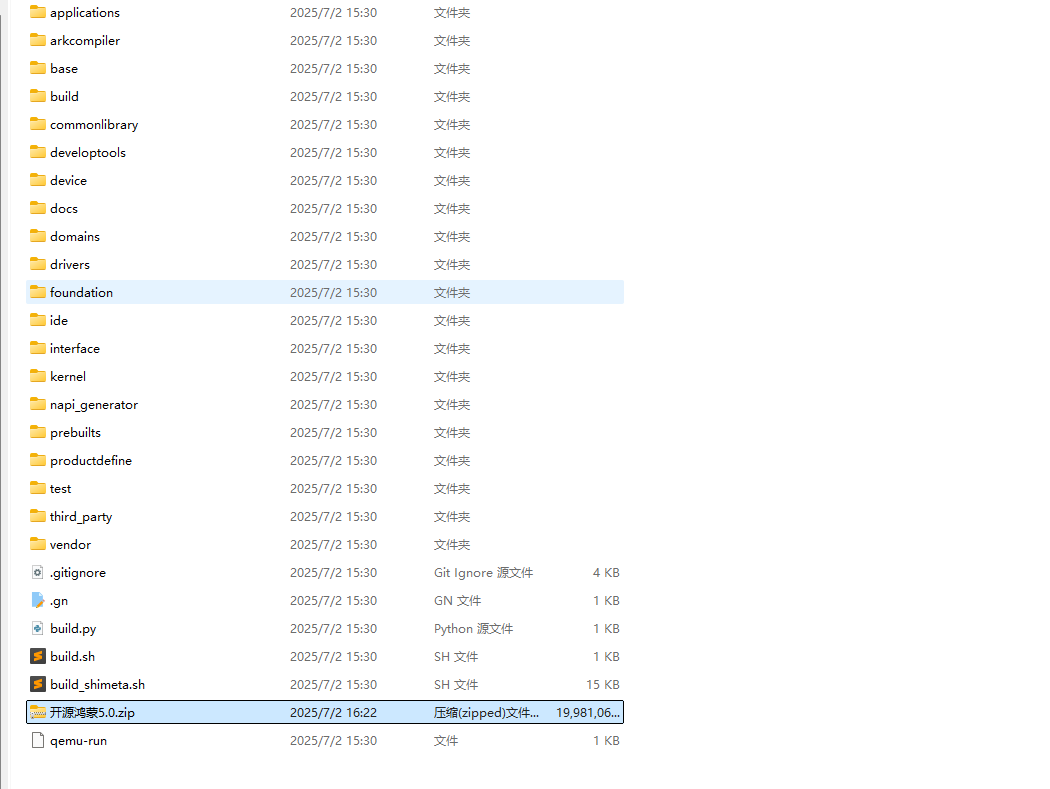
The file list after extraction is as follows: